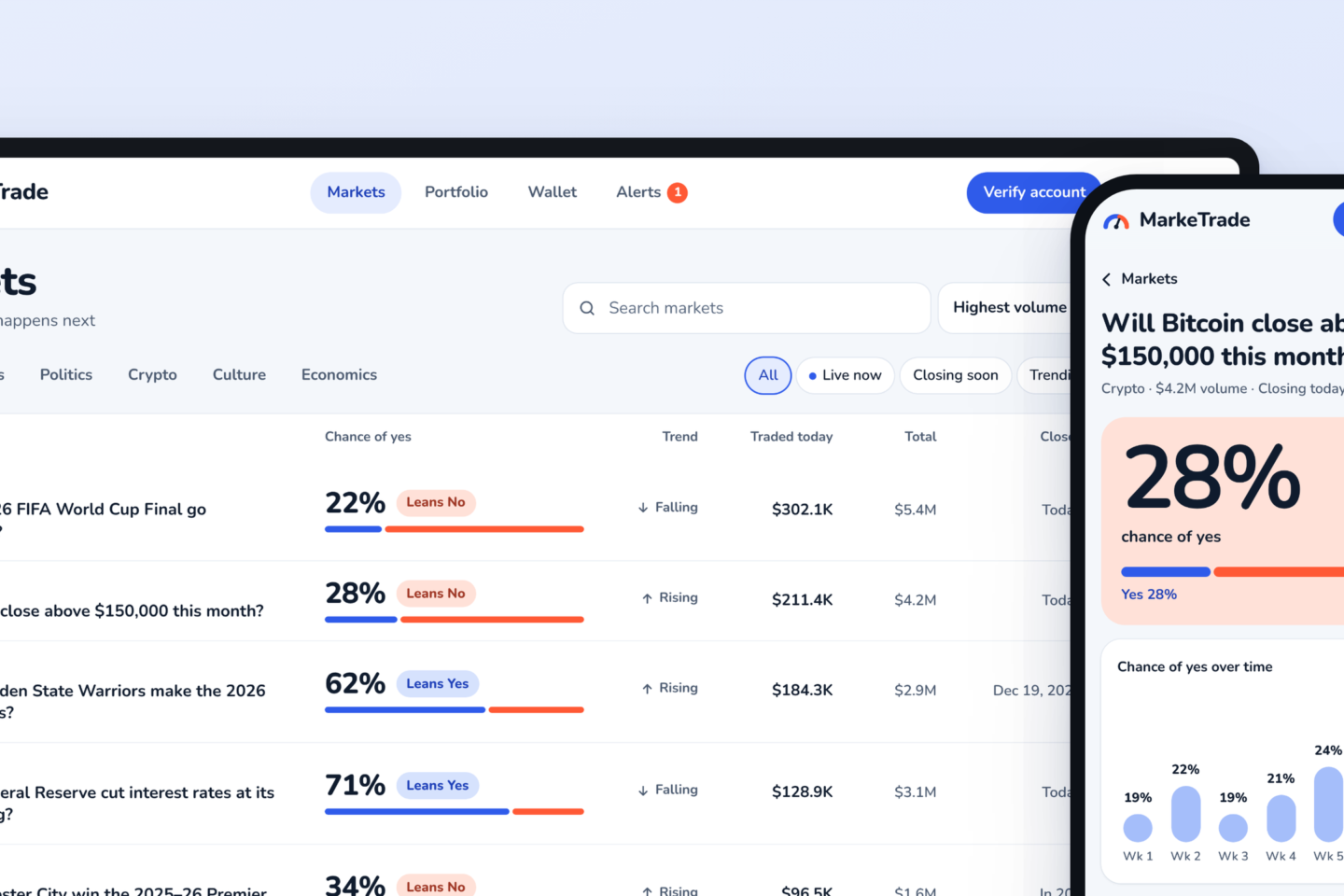
One held payment, four readers
A fraud review console where an AI agent stops risky payments and a human makes the call.
I designed it so the fraud analyst, the agent, the developer and the auditor all read the same record, each in the form they need. It is a working prototype, not a mockup: every screen below is a live state you can open yourself.
The question
Can one record serve a person and an AI agent equally well, without writing anything twice?
What I built
A working fraud-review console around a held $9,800 wire. The agent stops at a judgment point, the analyst decides, and the same record updates for the agent, the developer and the auditor.
What it shows
13 product decisions made after the first review round, such as no AI confidence score and a release that stays locked until a verified callback.
Why I built it
I set myself one question: can a single record serve a person and an AI agent equally well, without writing anything twice?
Most AI design work I see is a chat window. In fintech, the harder problem is different. An agent handles most of the work, stops at a point where the rules say a human must decide, and then four parties need the same facts in different forms.
I picked a held bank wire because the stakes are clear and the rules are real: payments to new payees, phone scams, callbacks.
- 1
The fraud analystneeds plain language and a fast, defensible decision.
- 2
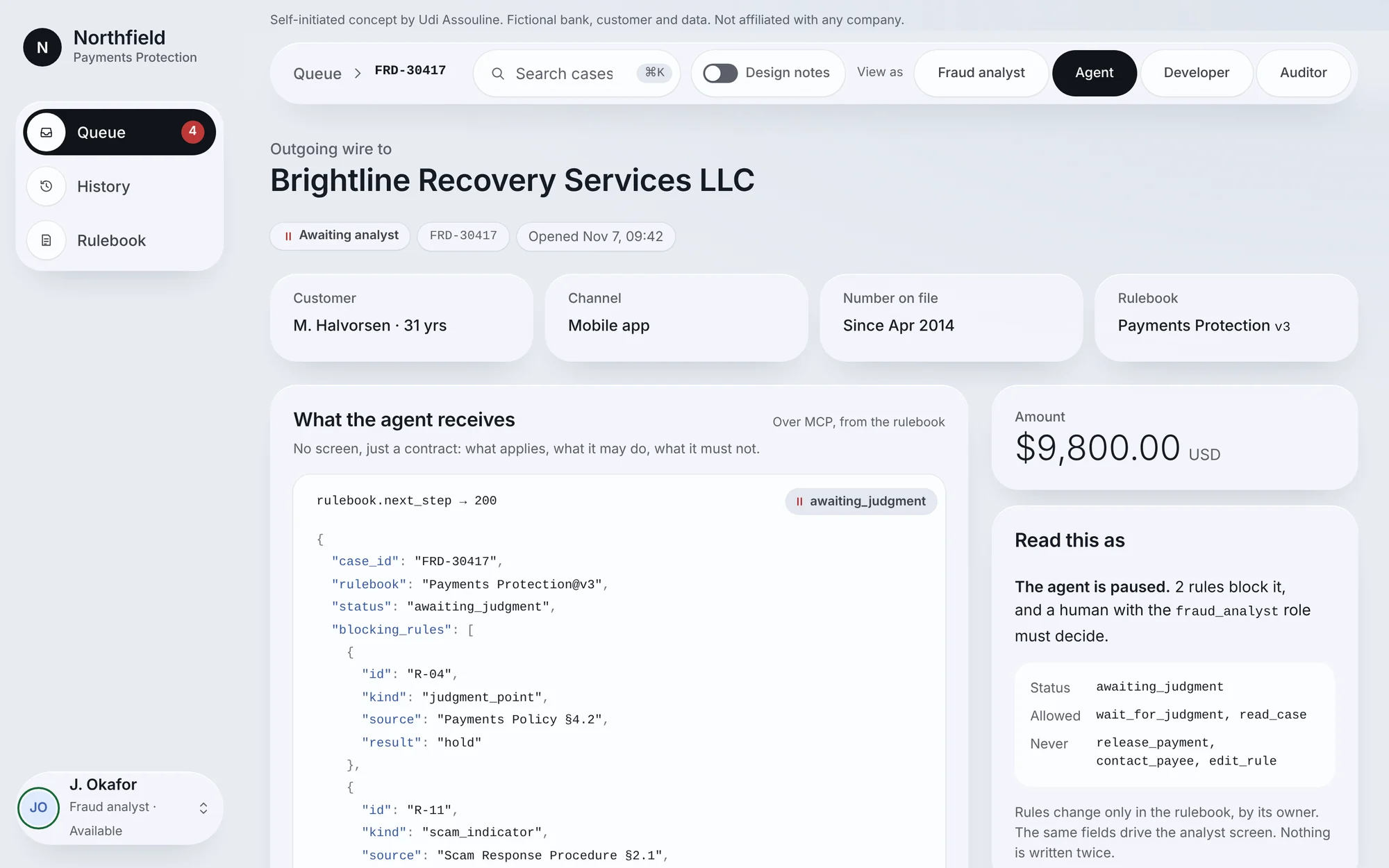
The agentneeds an exact contract: what applies, what it may do, what it must never do.
- 3
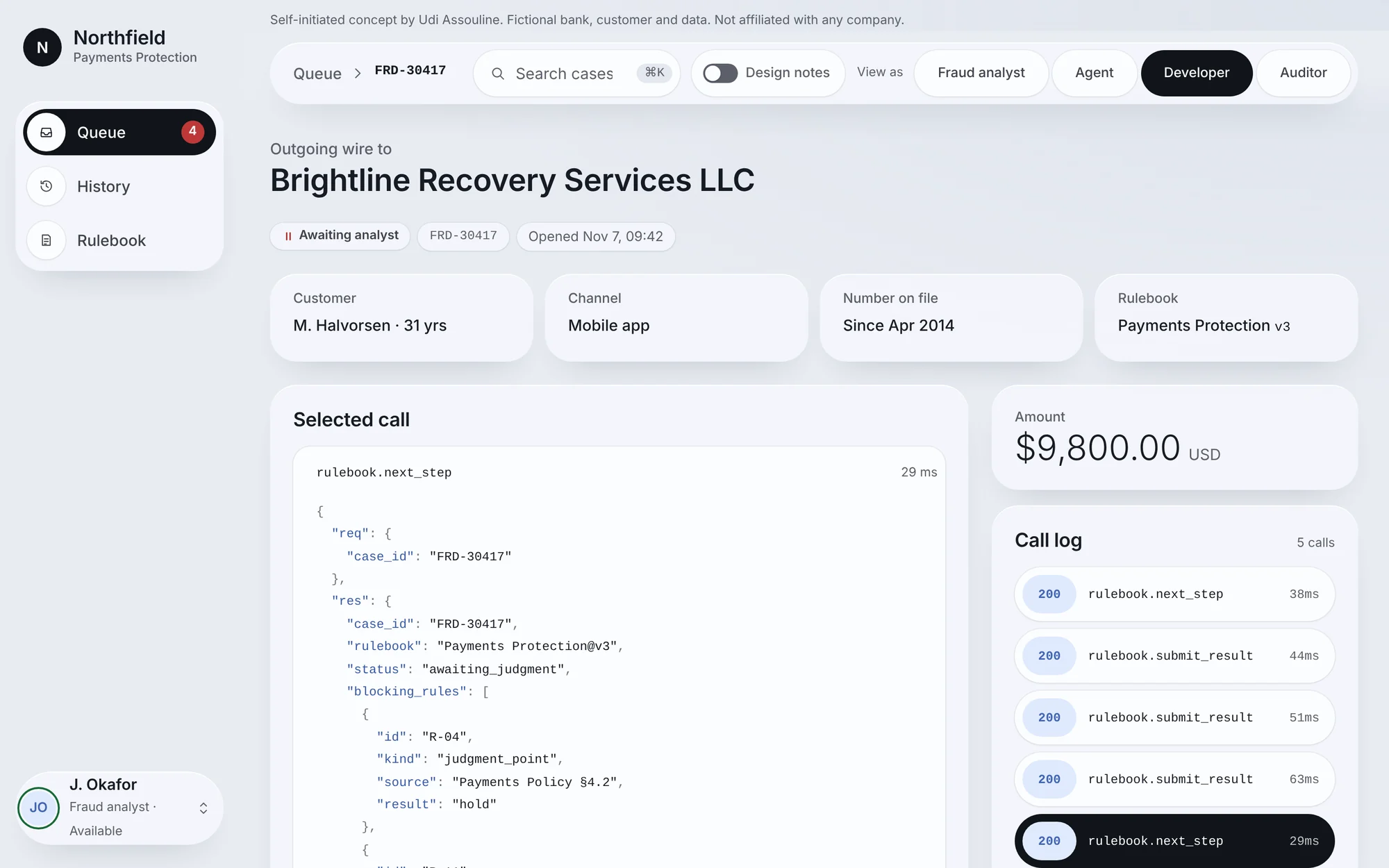
The developerneeds to see every call and how each rule was evaluated.
- 4
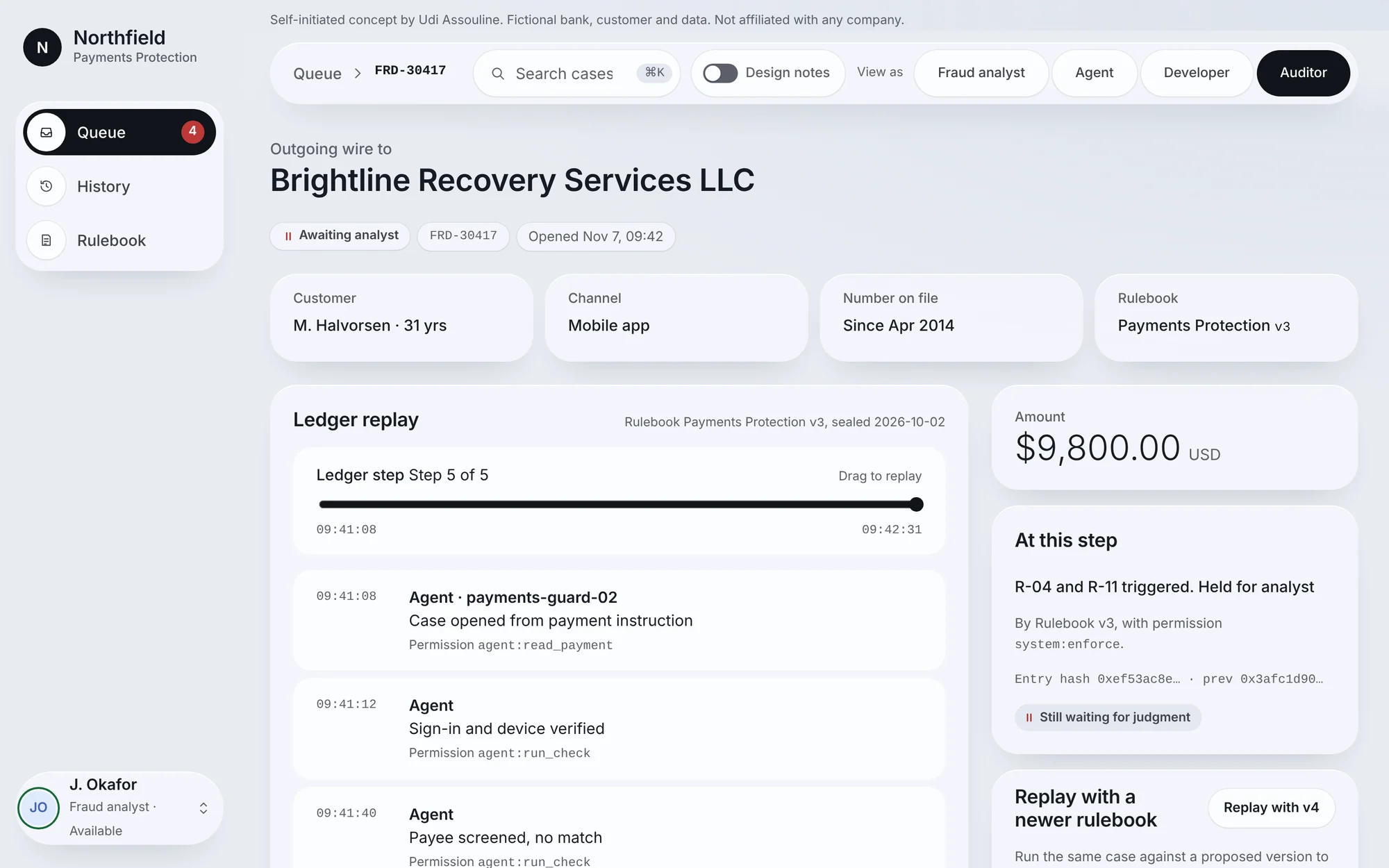
The auditorneeds to replay the case months later and test new rules against it.
The case
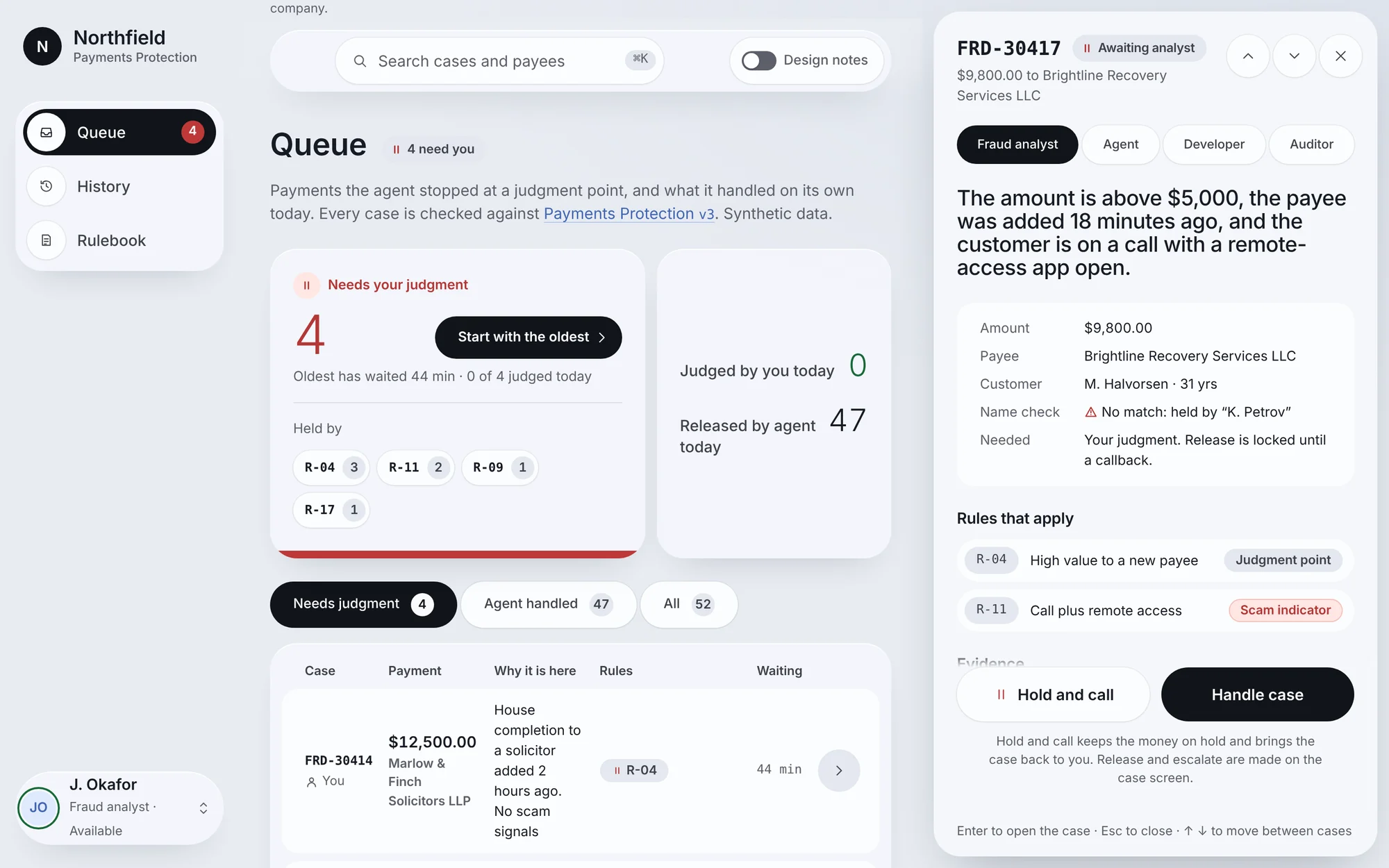
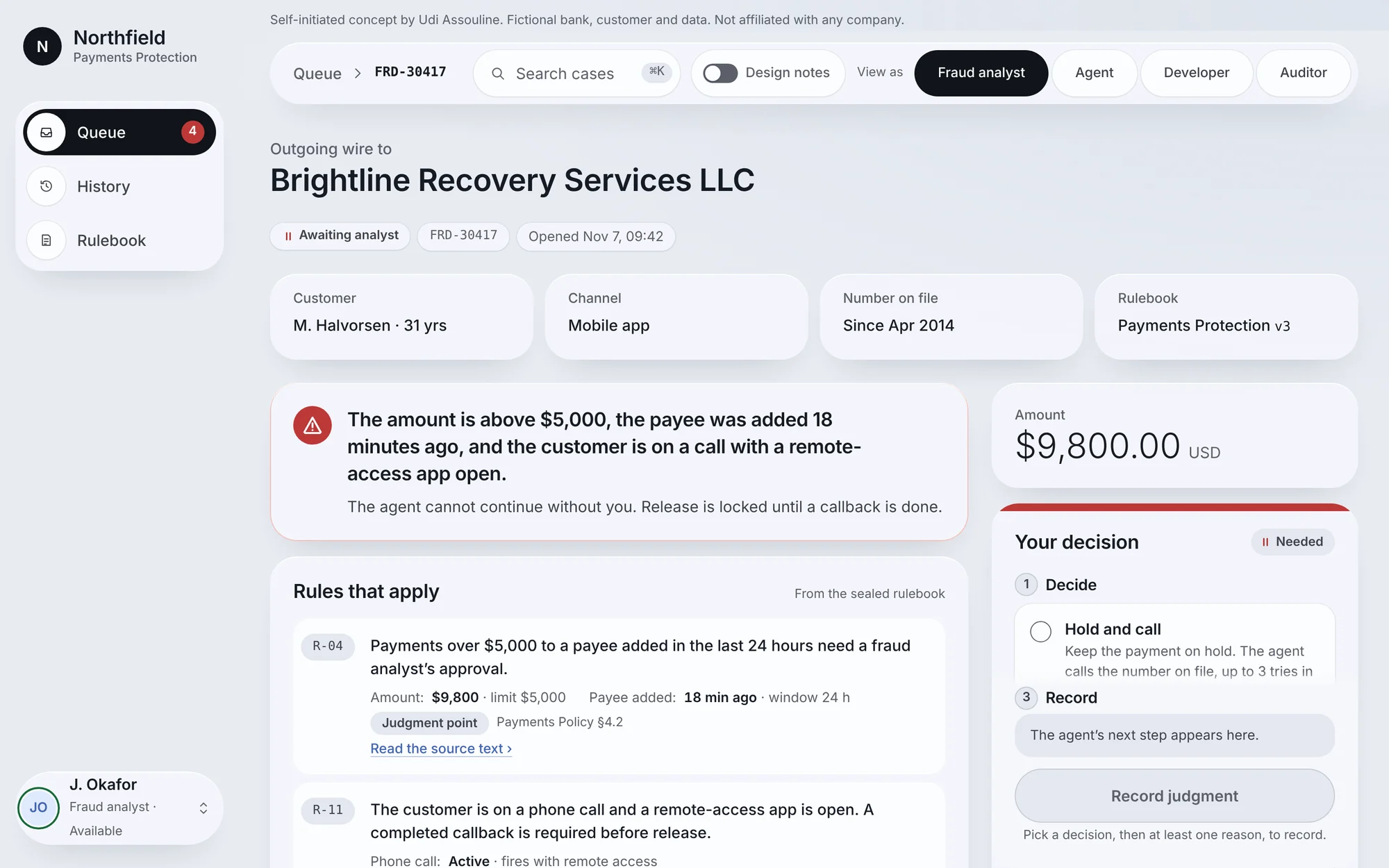
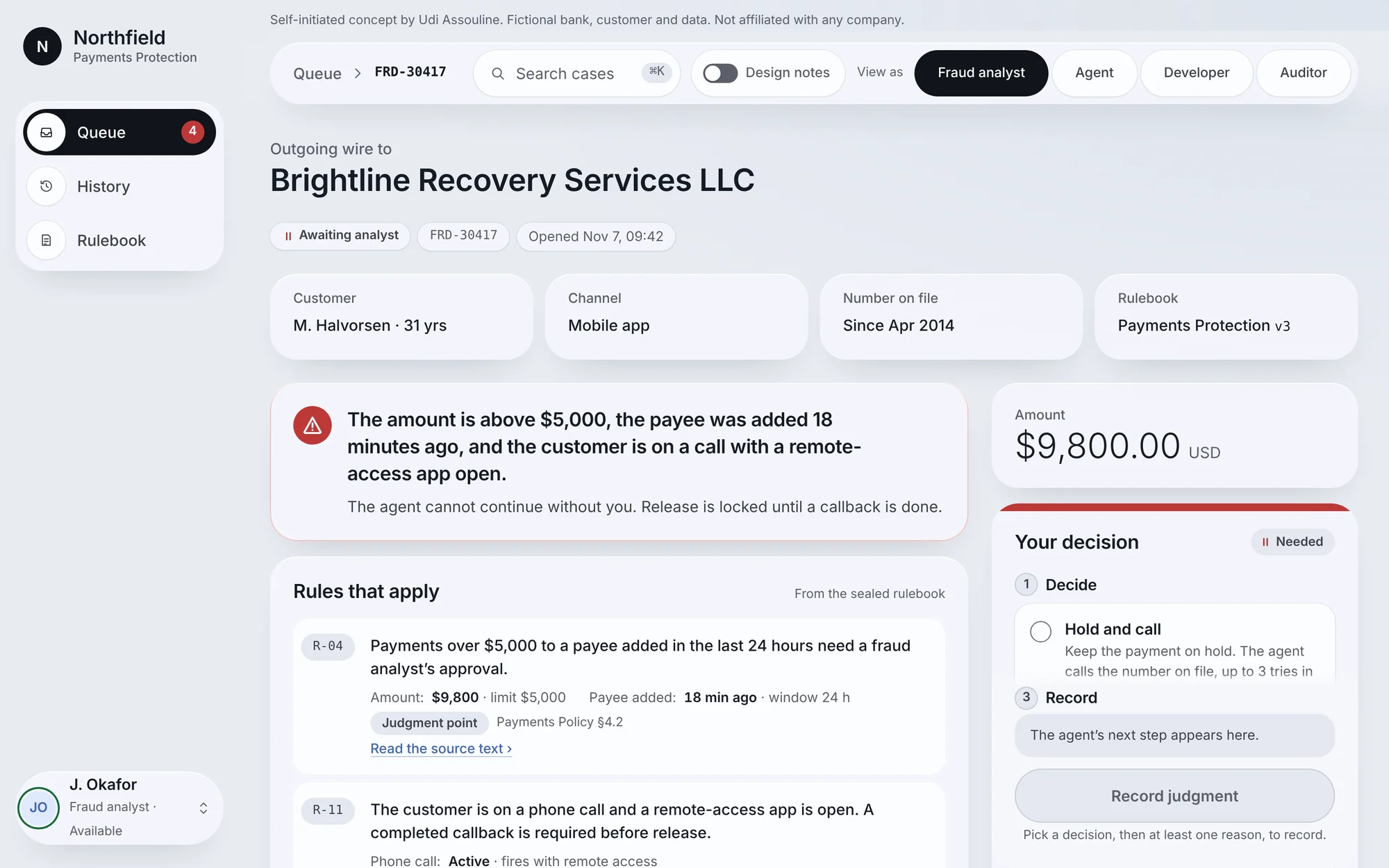
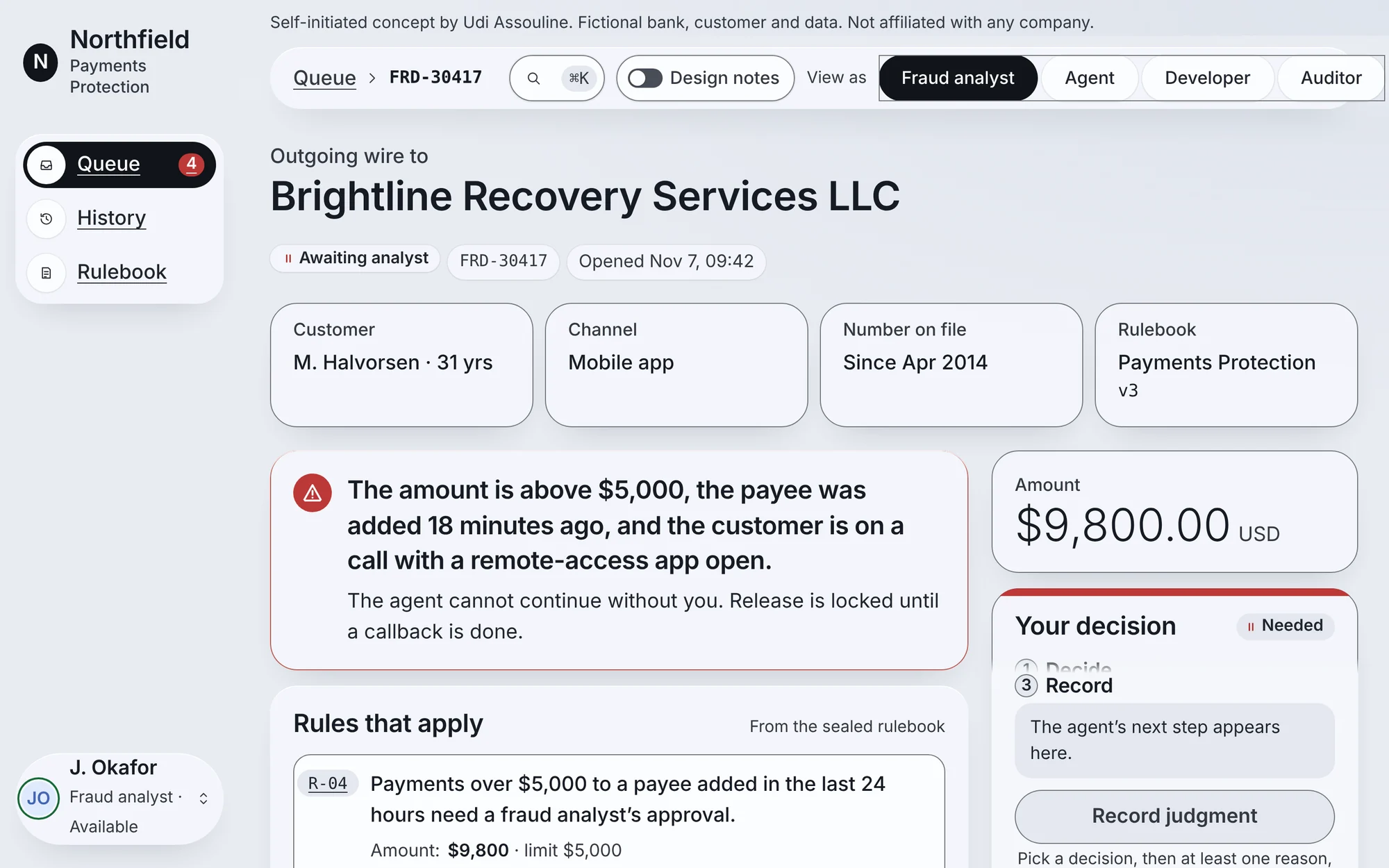
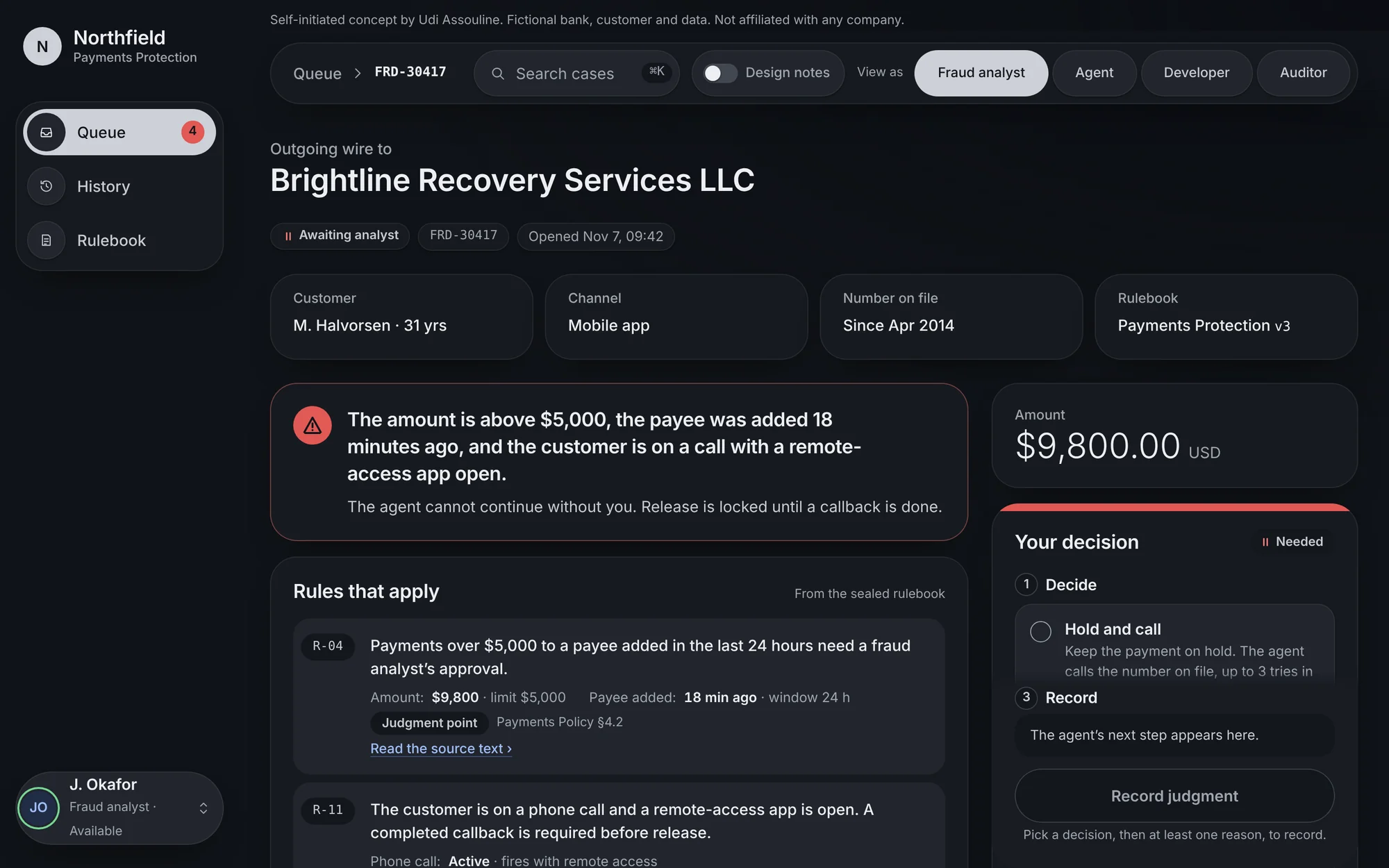
A customer sends a $9,800 wire to a payee added 18 minutes earlier. He is on a phone call with an unknown number, and a remote-access app is open. That is the classic pattern of a scam where someone steers the victim in real time.
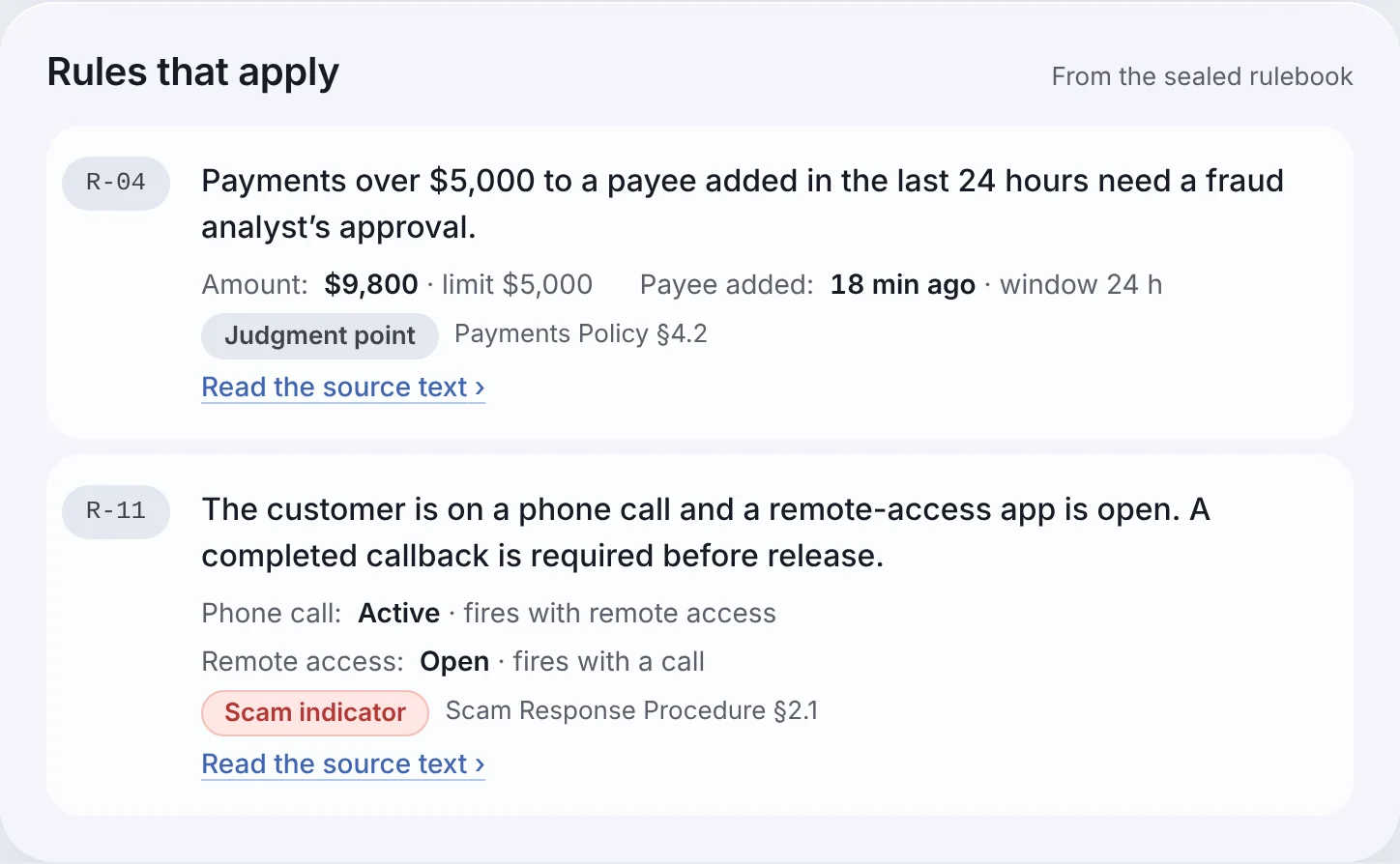
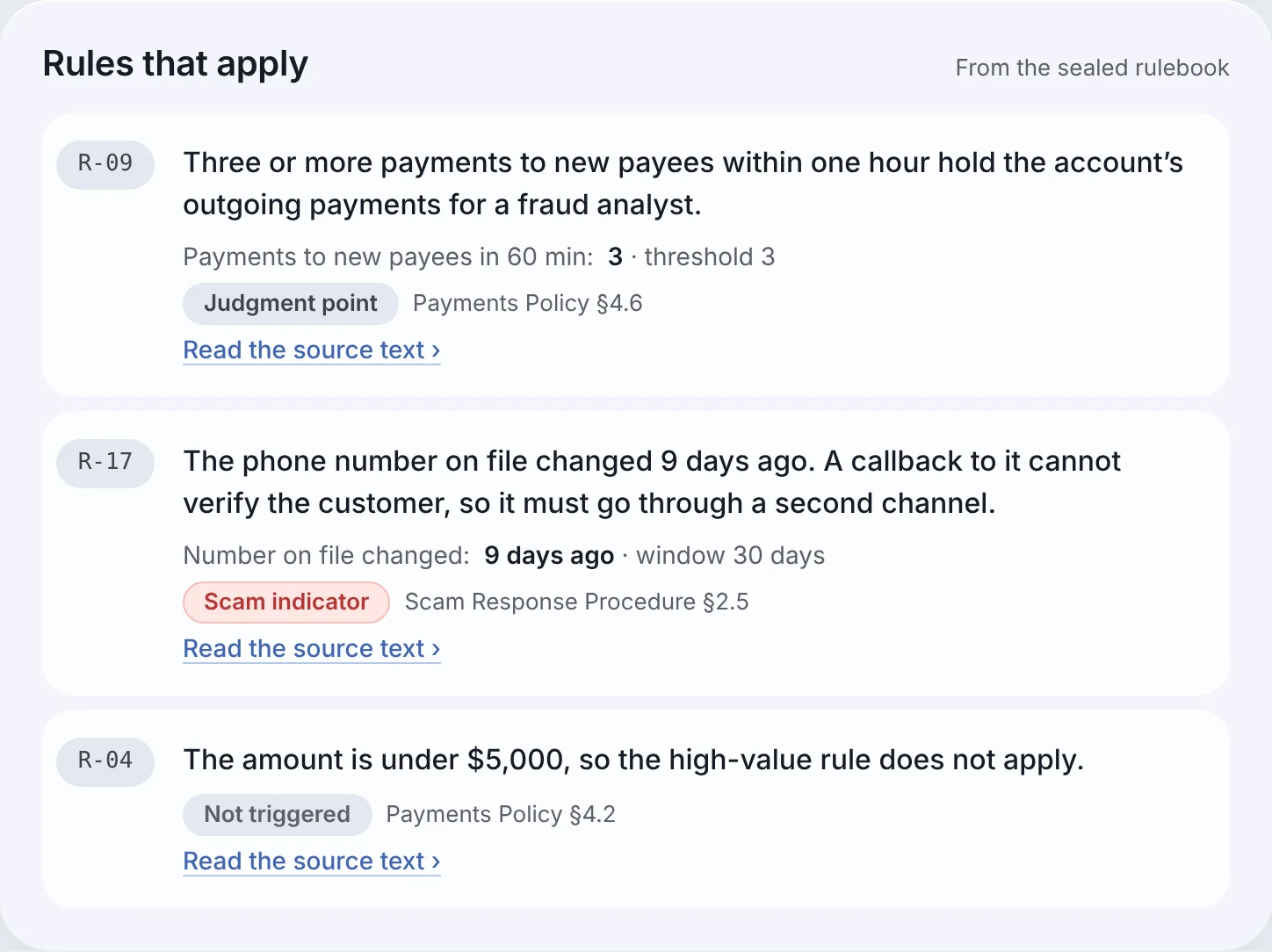
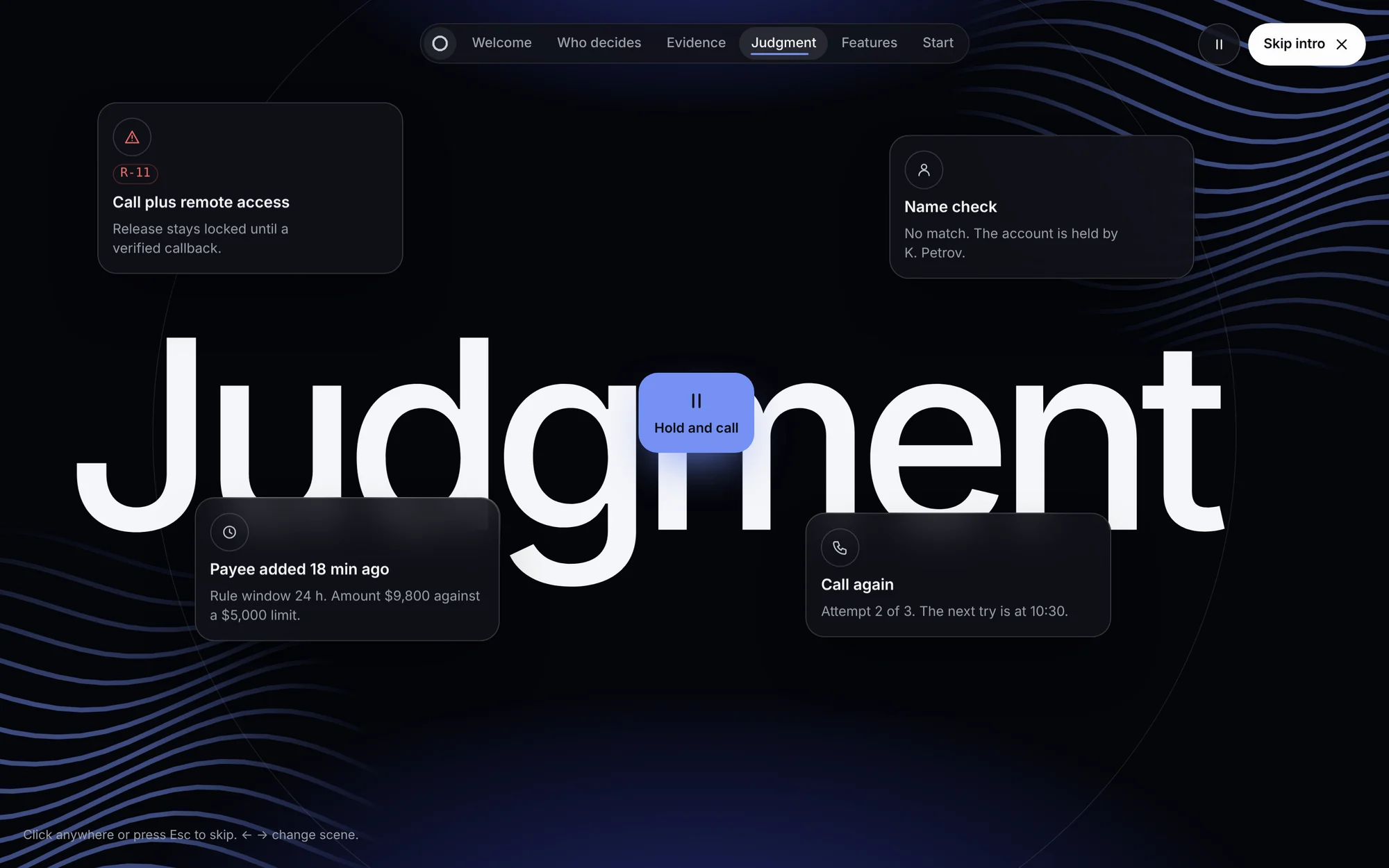
Two rules fire. R-04 says payments over $5,000 to a new payee need a fraud analyst. R-11 says a call plus remote access means no release without a verified callback. The agent holds the wire and hands the decision to a person.
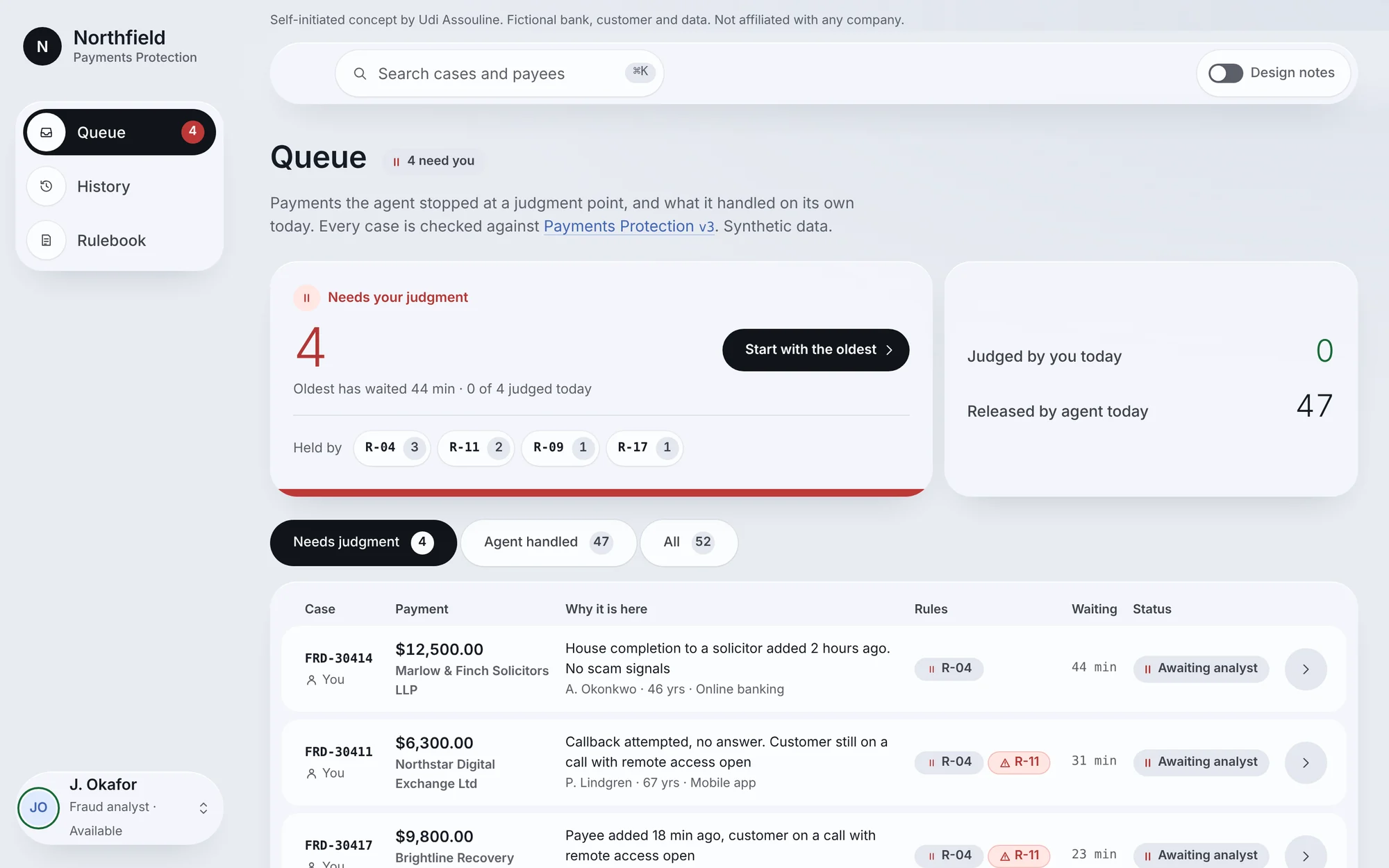
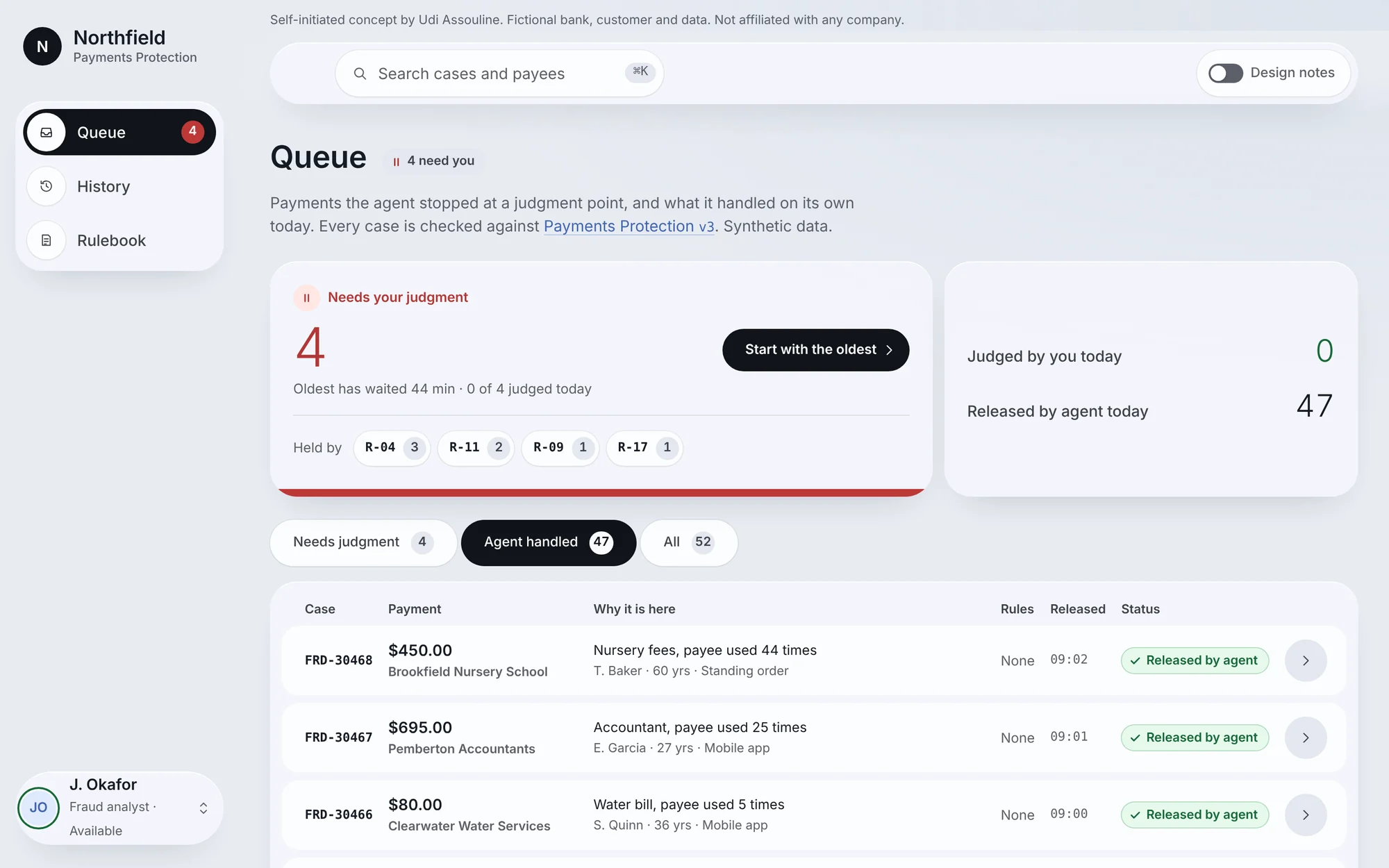
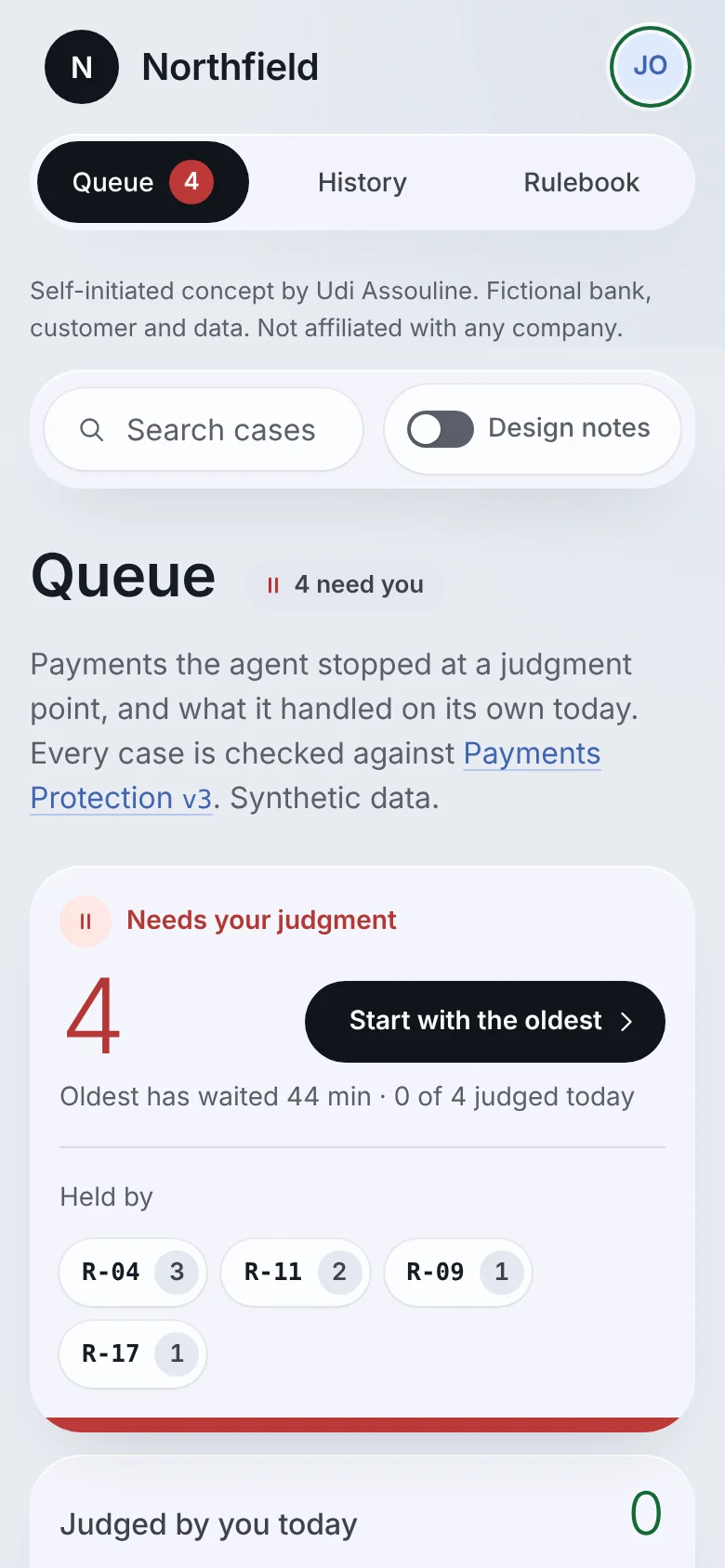
The analyst starts in a queue. The agent released 47 routine payments that morning on its own; four cases wait for a human. Each row says in one line why it is there. A preview panel shows the case through all four readers without leaving the queue, and Handle case opens the full screen: rules, evidence with its source, what the agent already did, and the decision.
Same case, four readers
When the analyst records a decision, it is sealed to the ledger and appears at once in the agent’s payload, the developer’s call log and the auditor’s replay. Pick a reader to see the same record through their eyes.
Key decisions
Each of these was a choice between two reasonable options. Here is what I picked and why.
No AI confidence score
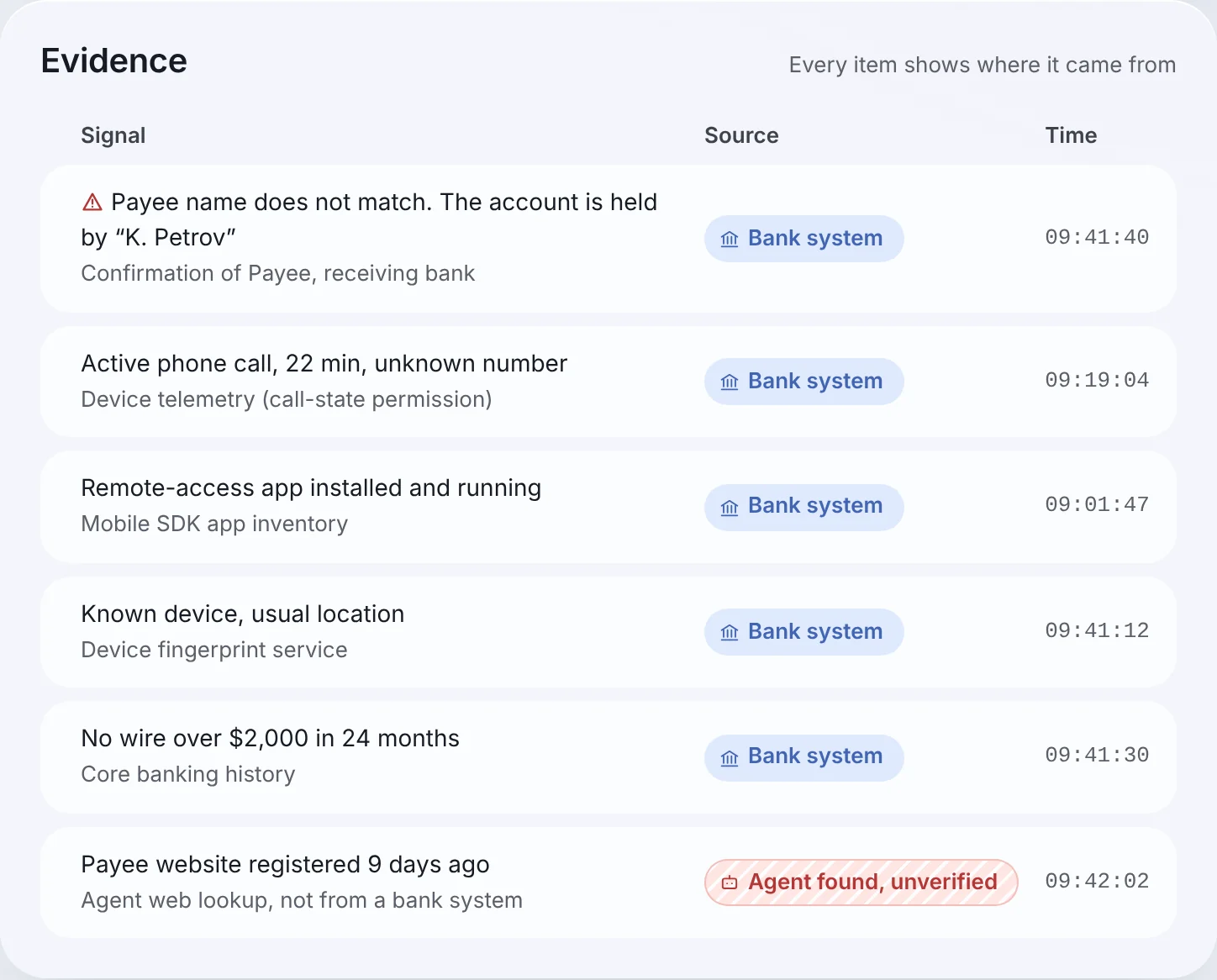
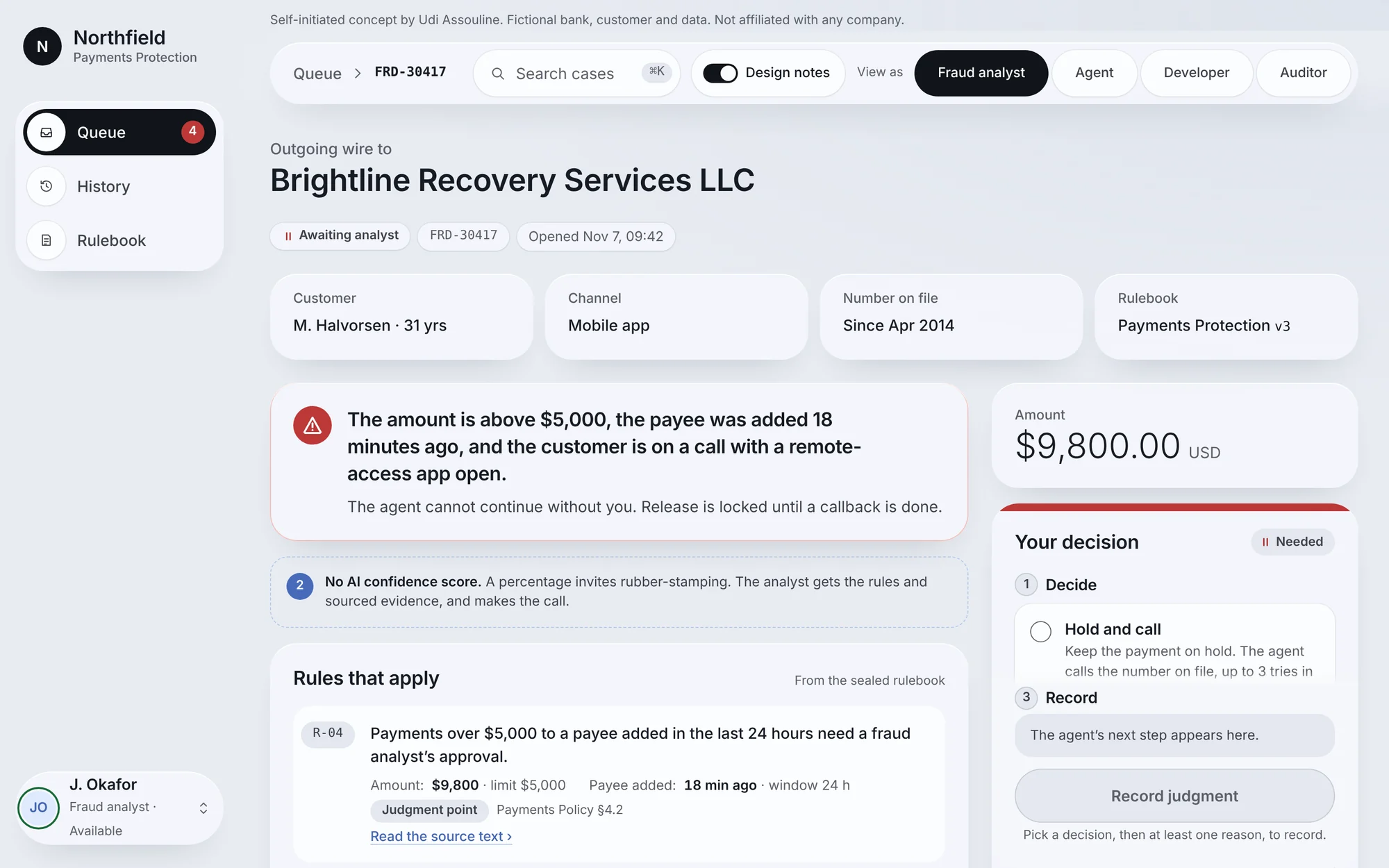
A number like “87% fraud” anchors the analyst and invites rubber-stamping. Instead the screen shows the rules that fired, each with its actual value against the limit, and evidence labeled by source. The analyst judges; the system explains.
Release is visible, but locked
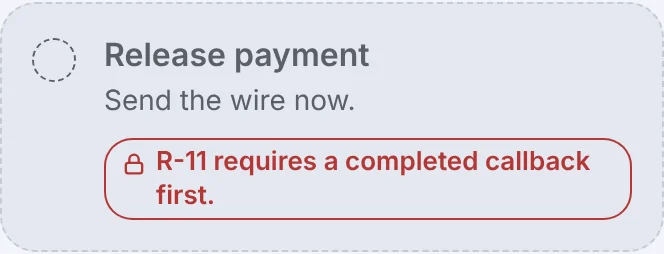
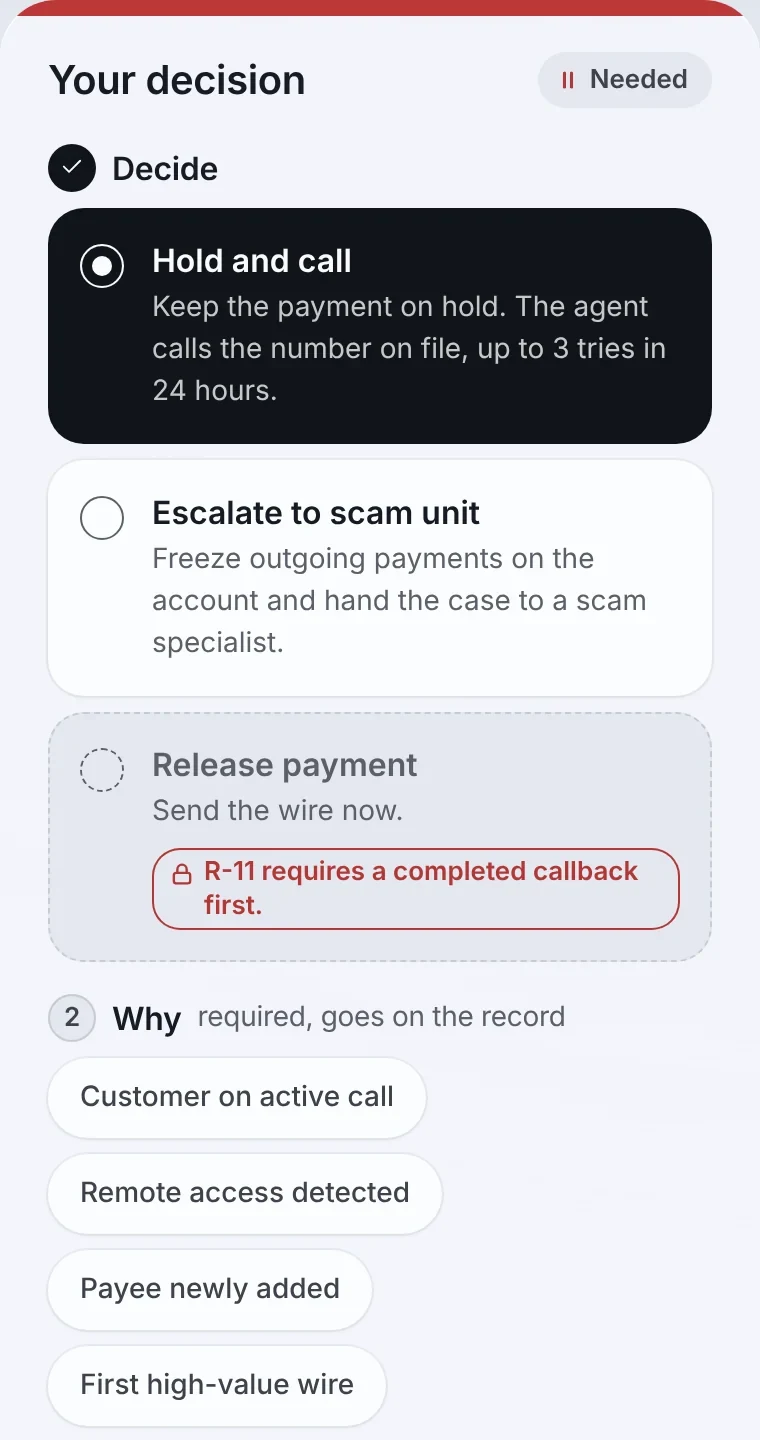
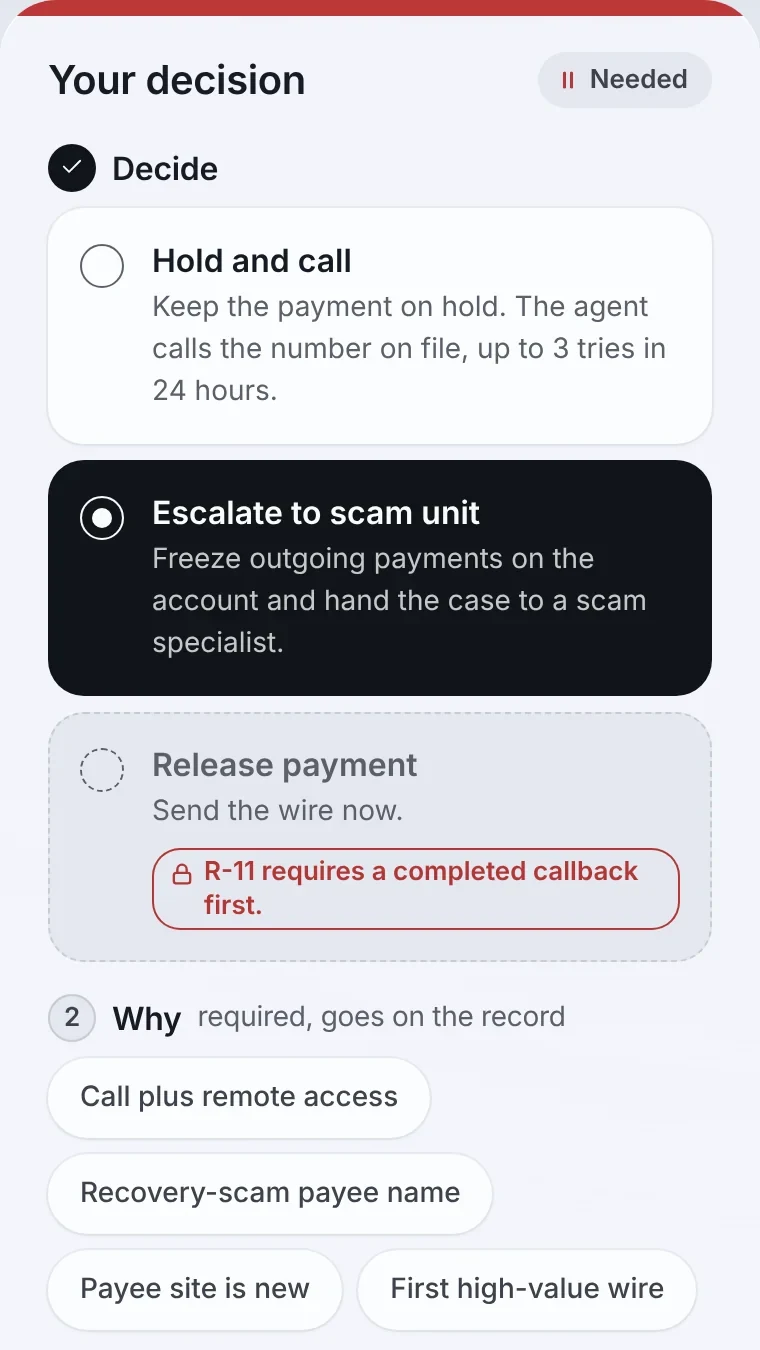
Hiding the option would make the system feel arbitrary. Release stays on screen in grey with a dashed edge, and a red tag names the rule that blocks it (R-11: callback first), so the analyst knows exactly what has to happen. Once a verified callback is done, the same option unlocks. Even then, Release needs a confirm step, and releasing over a scam signal needs a written note.
“Agent found, unverified”
One piece of evidence came from the agent’s own web lookup, not a bank system. It carries its own label so nobody mistakes an inference for a fact.
This matters later: in the auditor’s replay, a proposed rule turns out to depend on exactly that unverified signal.
Reasons belong to each decision
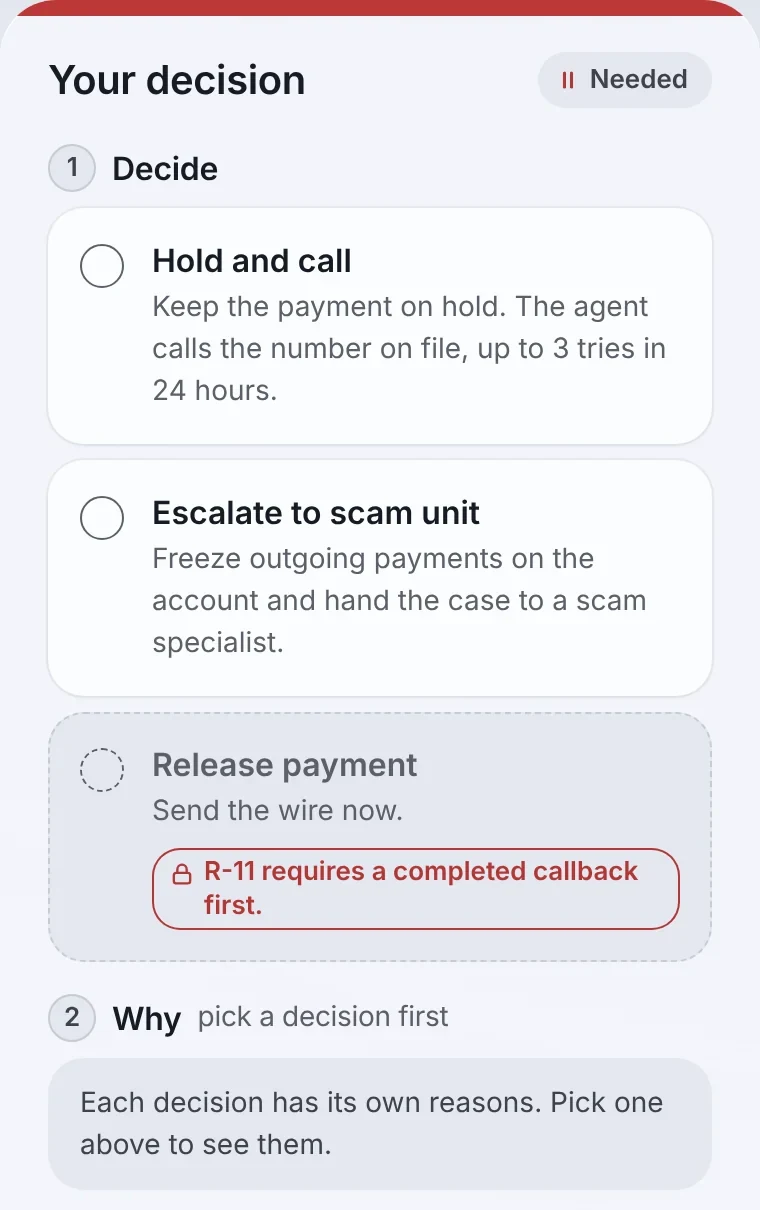
The analyst cannot record a judgment without a reason, and each decision has its own set. The reason becomes the audit record, so the ledger stores why, not only what.
A callback to a recently changed number is not a callback
I added R-17: if the number on file changed in the last 30 days, the callback goes through a second channel. Scammers often change the contact number first.
A callback policy, not a single try
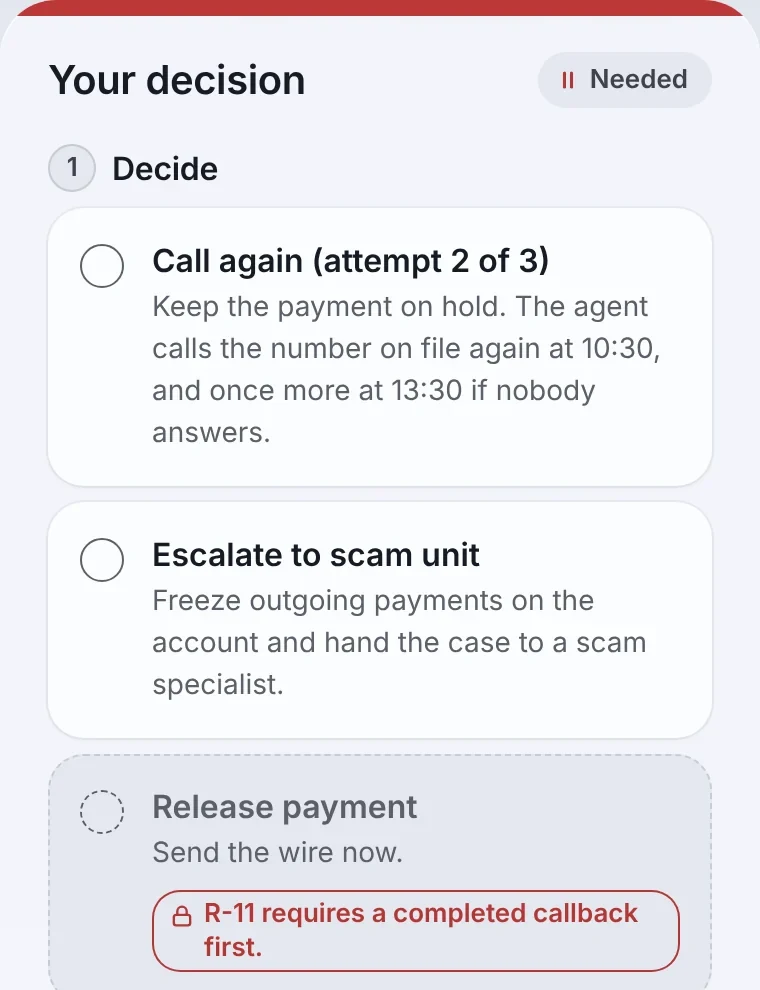
Three attempts within 24 hours, shown as “Call again (attempt 2 of 3)”. Real customers miss calls.
Ownership is explicit
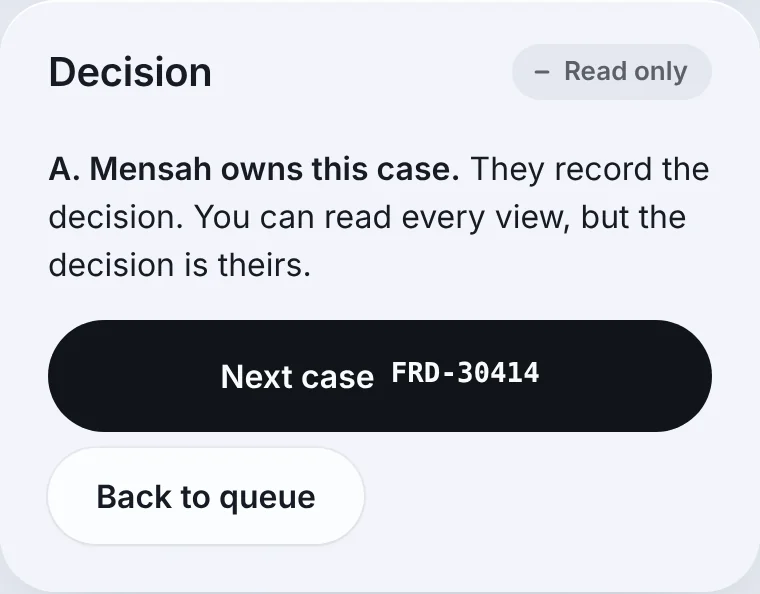
Every case shows its owner. A colleague’s case is read-only for you and is not counted in your numbers. There is no take-over and no amending a sealed decision.
One wording scheme
The verb sits on the button (“Hold and call”), the state sits on badges, History and the ledger (“Callback in progress”). The same action reads the same way everywhere.
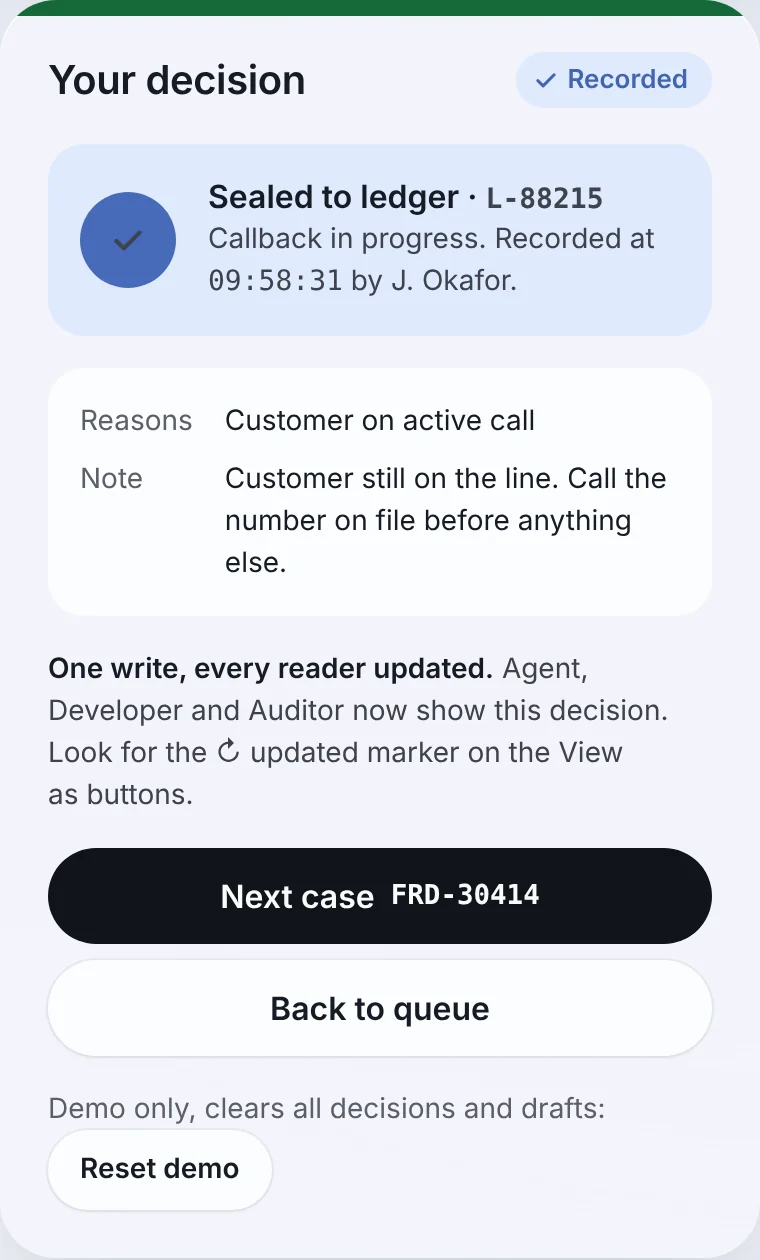
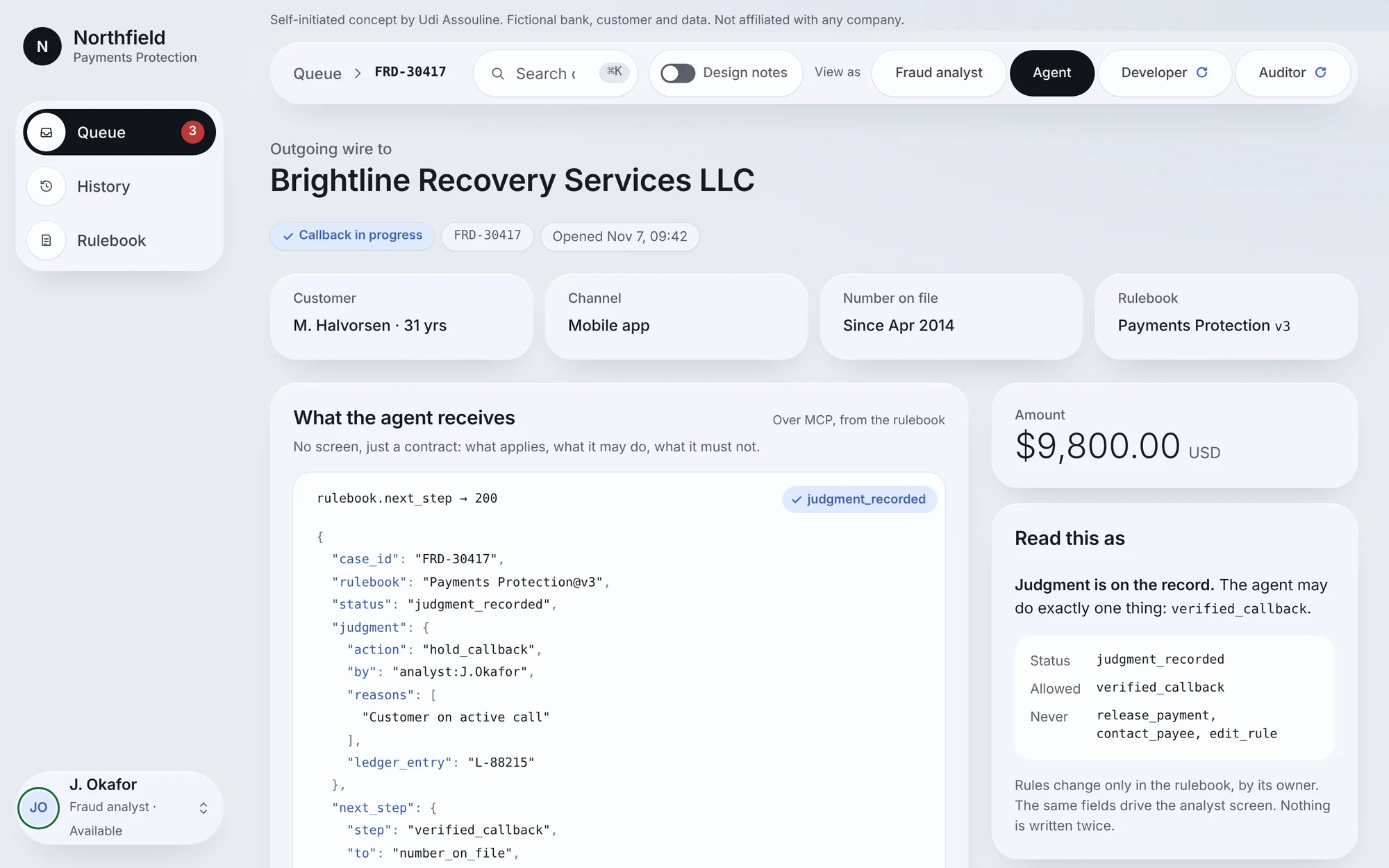
One write, every reader updated
The moment the analyst records “Hold and call”, the agent’s contract changes from waiting to exactly one allowed step: call the number on file.
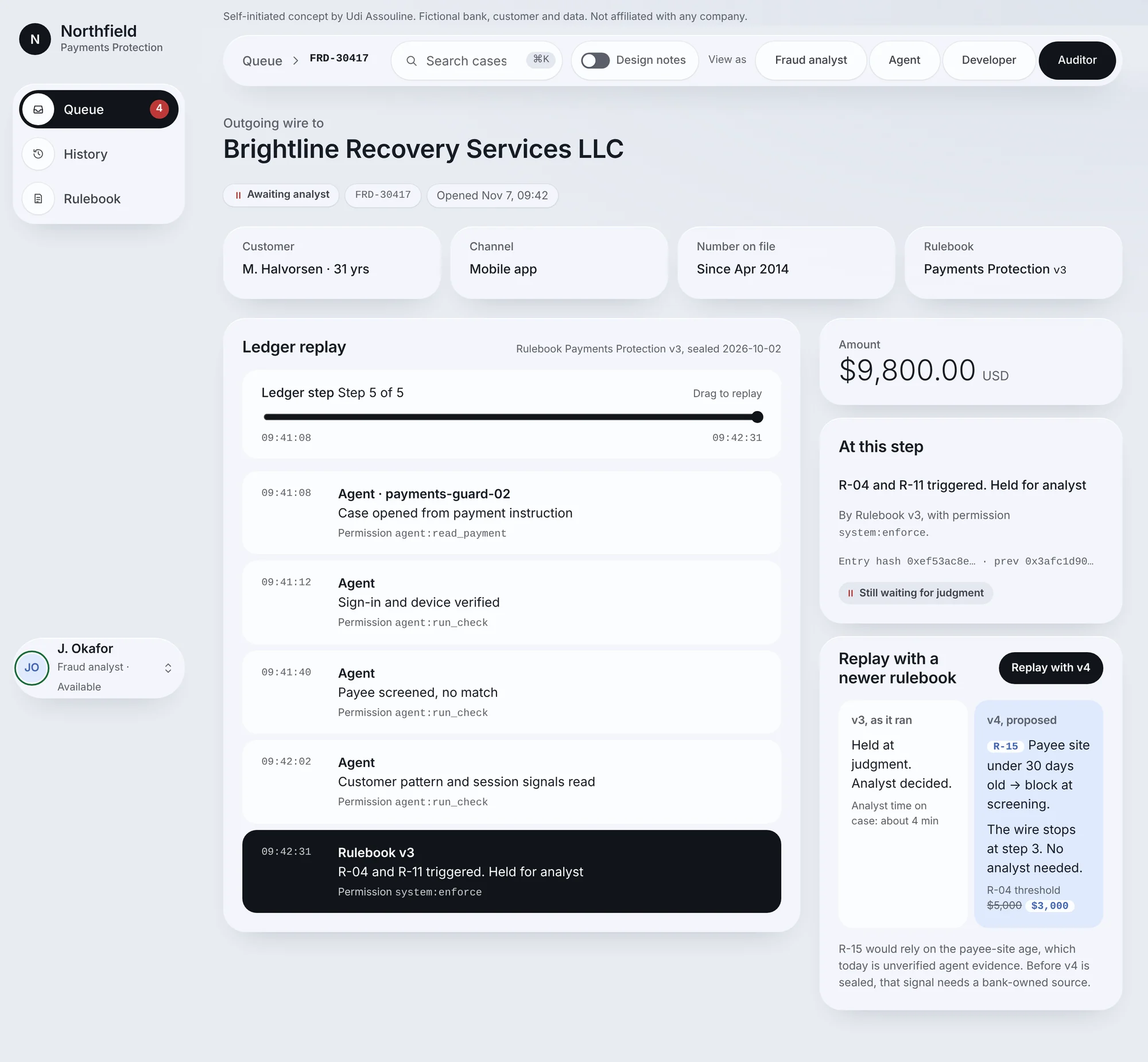
The auditor can test tomorrow’s rules on today’s case
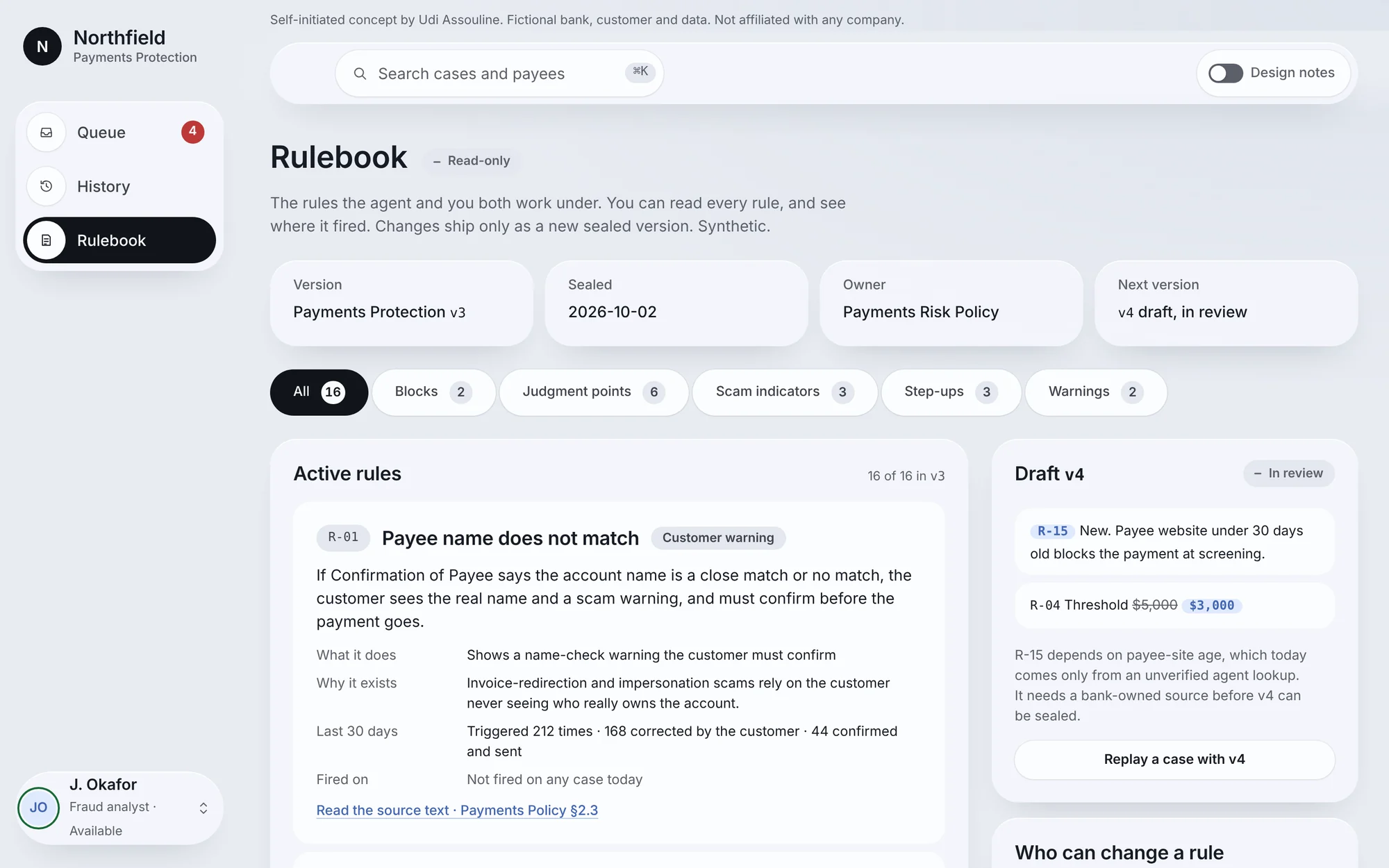
Months later, the auditor drags the replay to any step and sees what was known at that moment. Then “Replay with v4” runs the same case against a draft rulebook.
Here v4 would stop the wire automatically at step 3. But its new rule, R-15, depends on the payee website’s age, and that is the one piece of evidence the agent found but no bank system confirmed. The replay surfaces the risk before v4 is sealed.
Accessibility
Fraud analysts sit in front of this screen for a full shift, so I treated accessibility as part of the product, not a checklist at the end.
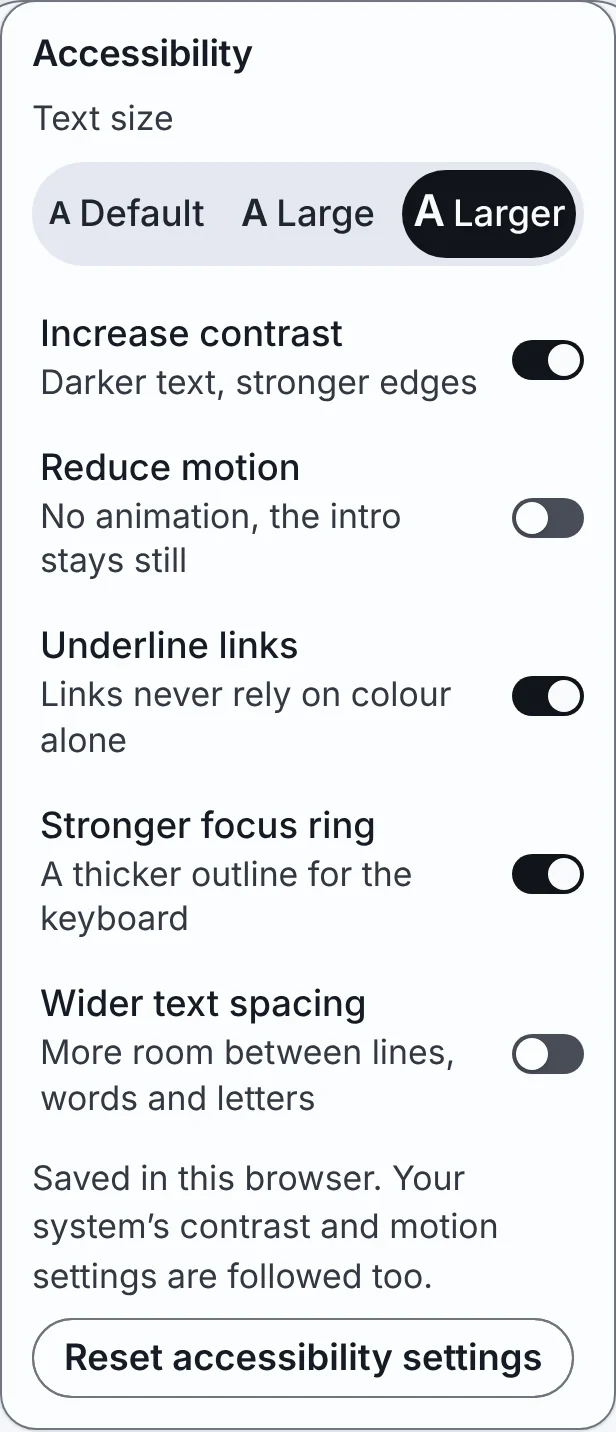
The account panel has its own Accessibility section:
- Text size: Default, Large, Larger
- Increase contrast
- Reduce motion
- Underline links
- Stronger focus ring
- Wider text spacing
The settings also follow the operating system’s contrast and motion preferences. I checked every screen with all settings at their maximum on a phone-sized screen and fixed what broke: the preview panel ran 9px past the edge and some buttons overflowed. Focus stays visible under the sticky bar, keyboard users can reach the queue rows after the preview opens, and status is never shown by colour alone.
Not yet done: a pass with a real screen reader.
Process: designing with an AI coding agent
I built Northfield with Claude Code over dozens of refinement versions. The agent built the product and wrote the code. I directed the design, reviewed every version, overrode the agent where it was wrong and decided what shipped.
Design direction. I gave the agent a dashboard design reference to set the visual direction, then polished the result with a design-polish skill and my own review.
How I worked. I gave precise instructions (“22px medium, 24px line height, on the summary line, not the title”) and checked every result on screen. When the agent changed something I had not asked for, I had it reverted. Changes apply only to what I name.
Review rounds. Twice I asked for a review by a team of AI agents covering UX, accessibility, QA, security and copy, with a lead who sorted the findings. A QA re-test after each round caught new bugs. One example: pressing Escape deleted a Hold and call draft.
Round 1
The 12 deferred became 13 product decisions I made one by one, such as the callback policy and R-17.
Round 2, aimed at delivery
Design notes, inside the product
A switch in the top bar turns on numbered notes that explain each decision where it happens on screen, so a reviewer can follow my reasoning without leaving the prototype.
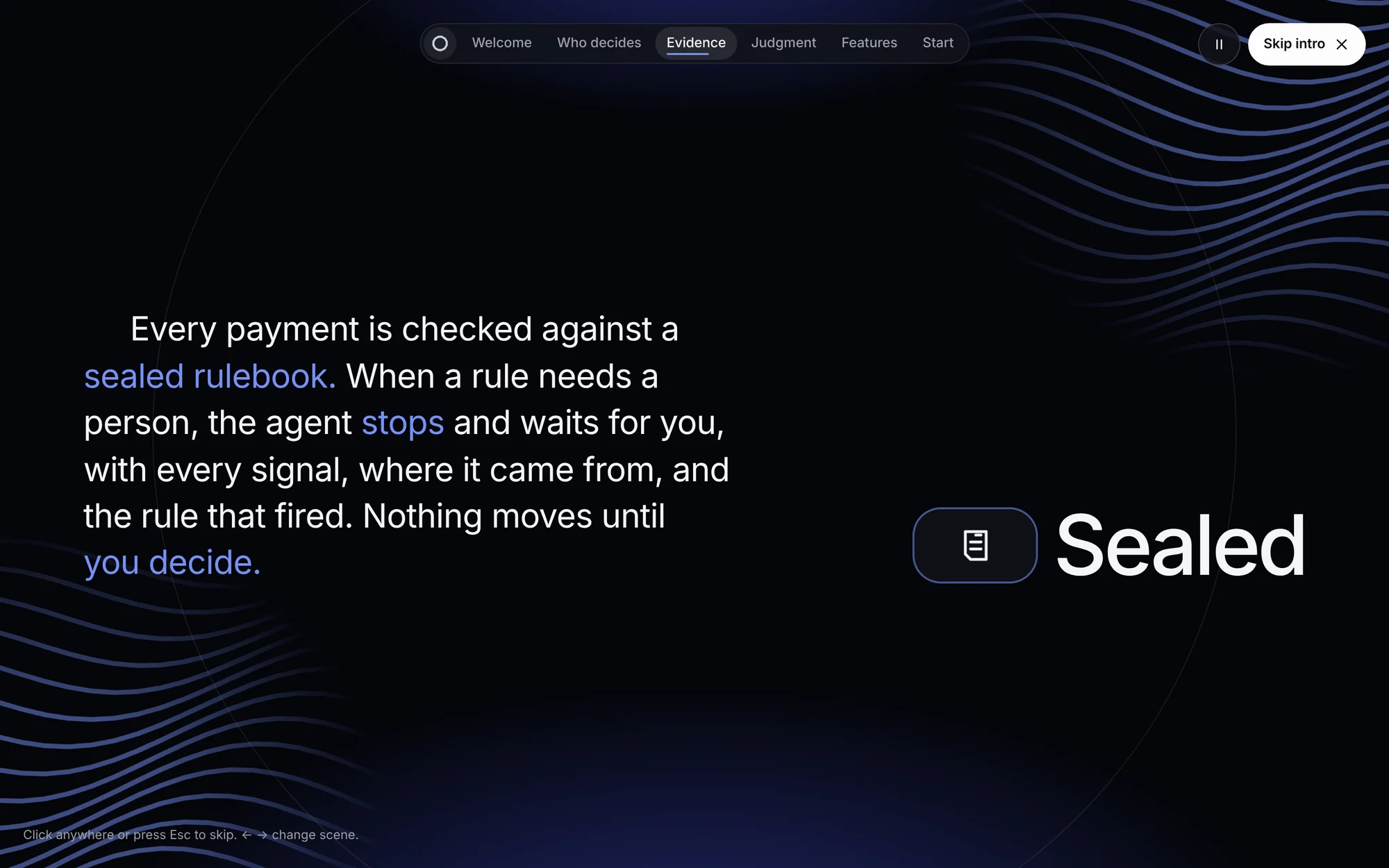
What I cut. The intro screen is based on a motion reference video, but I left out its purple-to-blue gradient and its italic serif word. Both broke the app’s own design rules. I also deferred syncing two open tabs: real, but not worth the complexity in a concept.
What I changed my mind on. The locked Release option went through five versions. I ended by moving red off the option itself and onto the small tag that names the rule. A red option read as an error; a grey option with a red reason reads as “not yet, and here is why”.
What I would do next
- Test with analystsEvery decision here is reasoned, not validated. The first question for real users: does the queue’s one-line “why” let them pick the right case first?
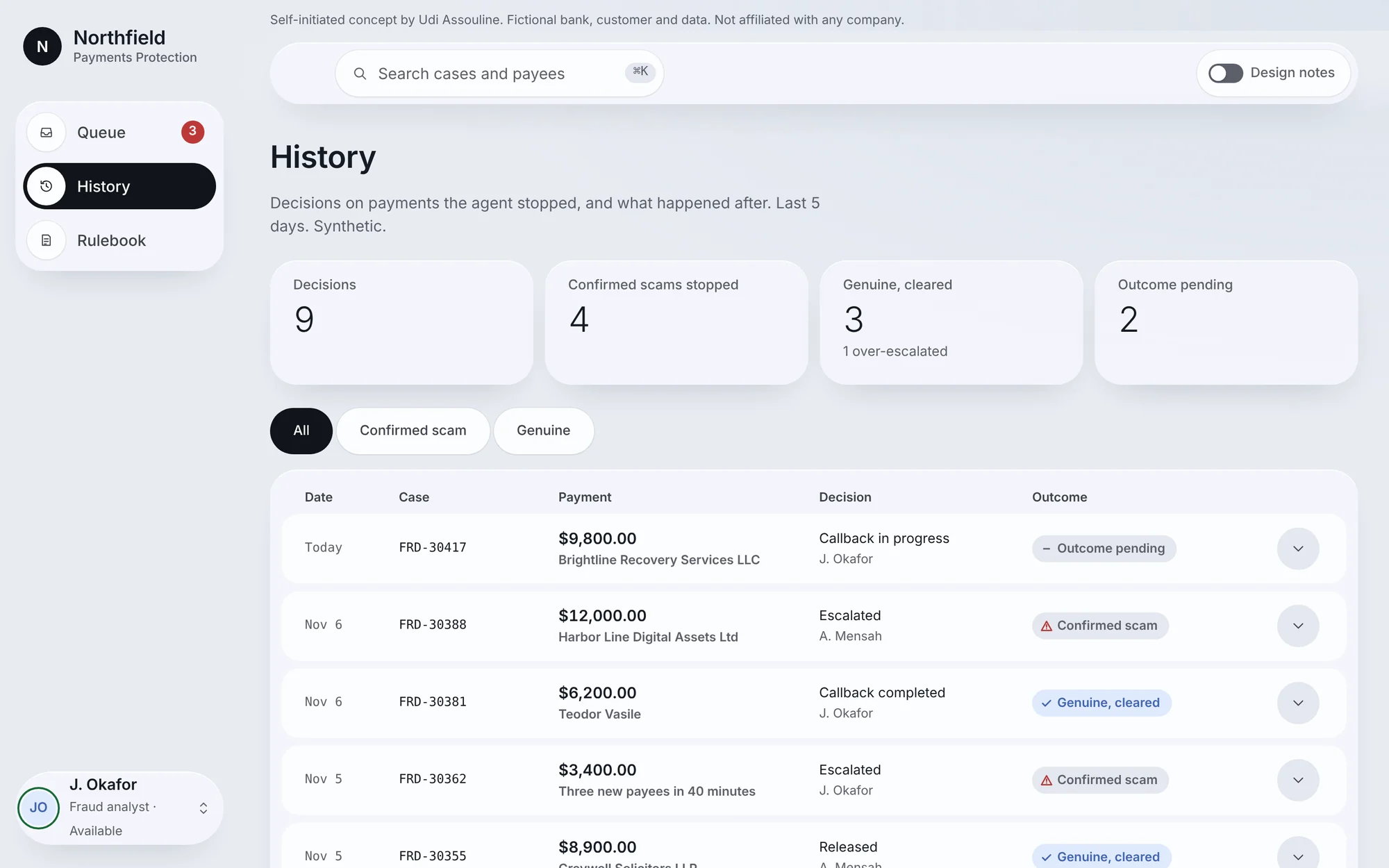
- Close the loop on outcomesHistory already marks each decision as a confirmed scam, genuine, or over-escalated. The next step is feeding those outcomes to the rule owner, so a rule that over-fires shows up as data.
- Screen reader and SafariA full VoiceOver pass, and testing the short-screen search on an iPhone.
Open a case and make the call yourself
Pick a case from the queue, record a decision, then switch to Agent, Developer or Auditor to watch it arrive.
Self-initiated concept. Northfield Bank, its customers and all case data are fictional. Not affiliated with any company.