Trax: Data Collection Configurations Platform
Data Collection Configurations Platform - Desktop
Company
Trax Image Recognition
Product
Data Collection Configurations Platform
Featue
Stores & Routes Configurations
Year
2020
About Trax
Trax Image Recognition is a global leader in computer vision and retail image recognition, providing retailers and brands with real-time shelf intelligence. The company blends advanced AI with in-store execution tools to improve on-shelf availability, optimize product placement, and drive smarter retail operations.
About The Product
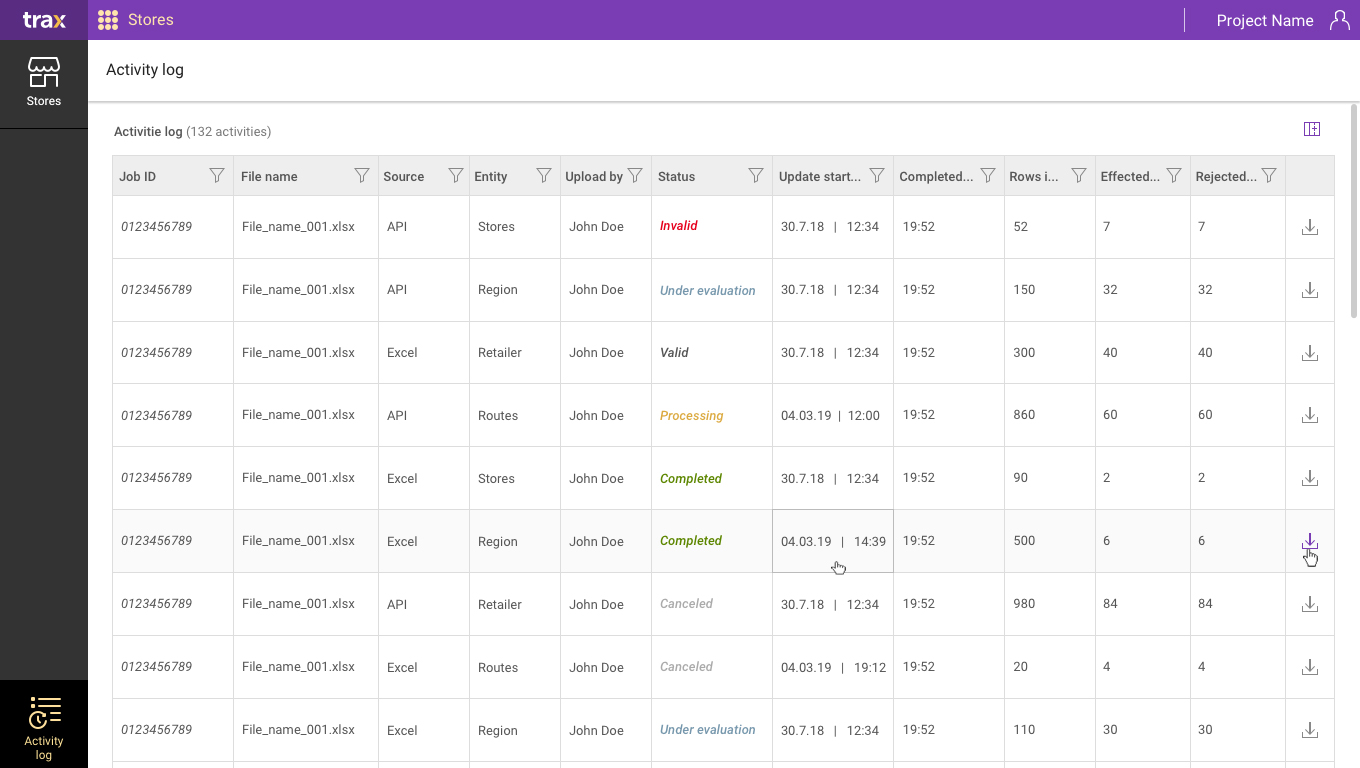
Trax Stores & Routes Configuration Platform – Desktop.
Field teams operate in a fast-paced, high-variability environment, where inaccurate data collection or misconfiguration could directly impact operational performance and business outcomes.
Trax’s Stores & Routes Configuration App is a desktop platform that empowers customer operations teams to define, configure, and manage the field workflows for in-store visits. Through this app, teams set up store inventories, routes, visit schedules, and field-team tasks – which are then consumed by the mobile collection app used by field reps.
Challenges
Before redesign, the existing configuration tool lacked a coherent structure for managing a growing number of stores, routes, and visit plans. As Trax expanded, the volume and complexity of store-level configurations, scheduling, and task assignments grew, but the UI still reflected a legacy layout that made it difficult for teams to manage efficiently and at scale.
Constraints:
- Non-technical field users operating in fast-paced environments require quick and error-free execution.
- Dynamic and unpredictable conditions are impacting data accuracy and overall system reliability.
- Balancing automation with user control to maintain trust and enable confident decision-making.
My Role in this Project
Qualitative Research
Gathered user insights to drive evidence-based design.
Sketch Visualization
Defined the visual direction.
Development Handoff
Ensured technical feasibility.
Usability Testing
Identified friction points through direct user feedback.
Design Leadership & Ownership
- Led UX strategy for integrating AI-driven workflows into operational tools.
- Defined how complex system outputs are translated into user actions.
- Collaborated closely with Product and Engineering to align AI capabilities with real-world user needs.
Research
Research & Discovery:
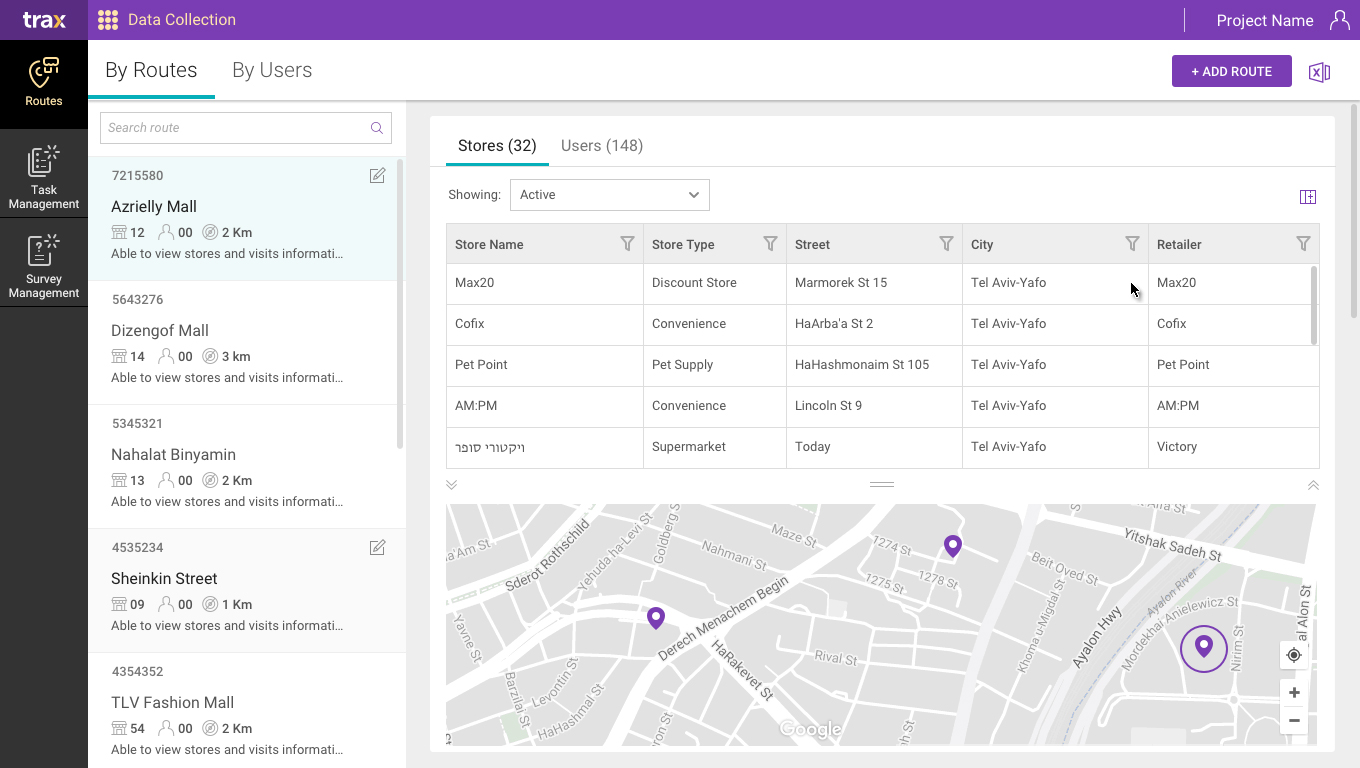
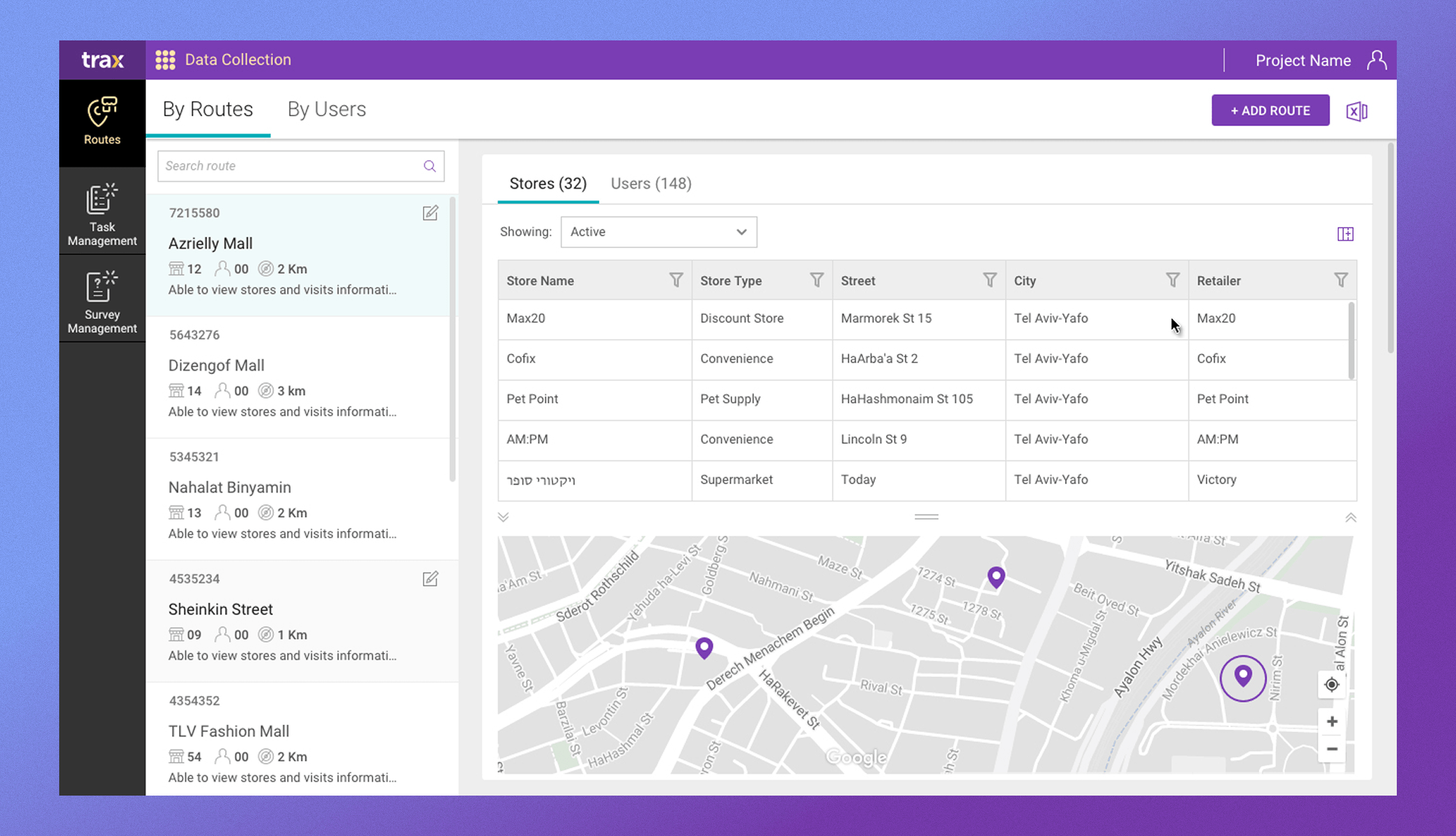
I led user interviews with operations and field-management staff to understand their workflows, pain points, and the mental model they used to manage stores, routes, and visit schedules. Based on these insights, I proposed a “master-detail” UI structure: a list of stores/routes (master view) with a detail pane for scheduling, visit configurations, task assignments, and other metadata. This approach helps users scan large sets of stores quickly, select one, and see or edit all associated configuration details in context.
The “master-detail” pattern is well-suited for applications needing to manage large collections while maintaining focus and clarity when editing a single item
Solution
Solution & Design Implementation:
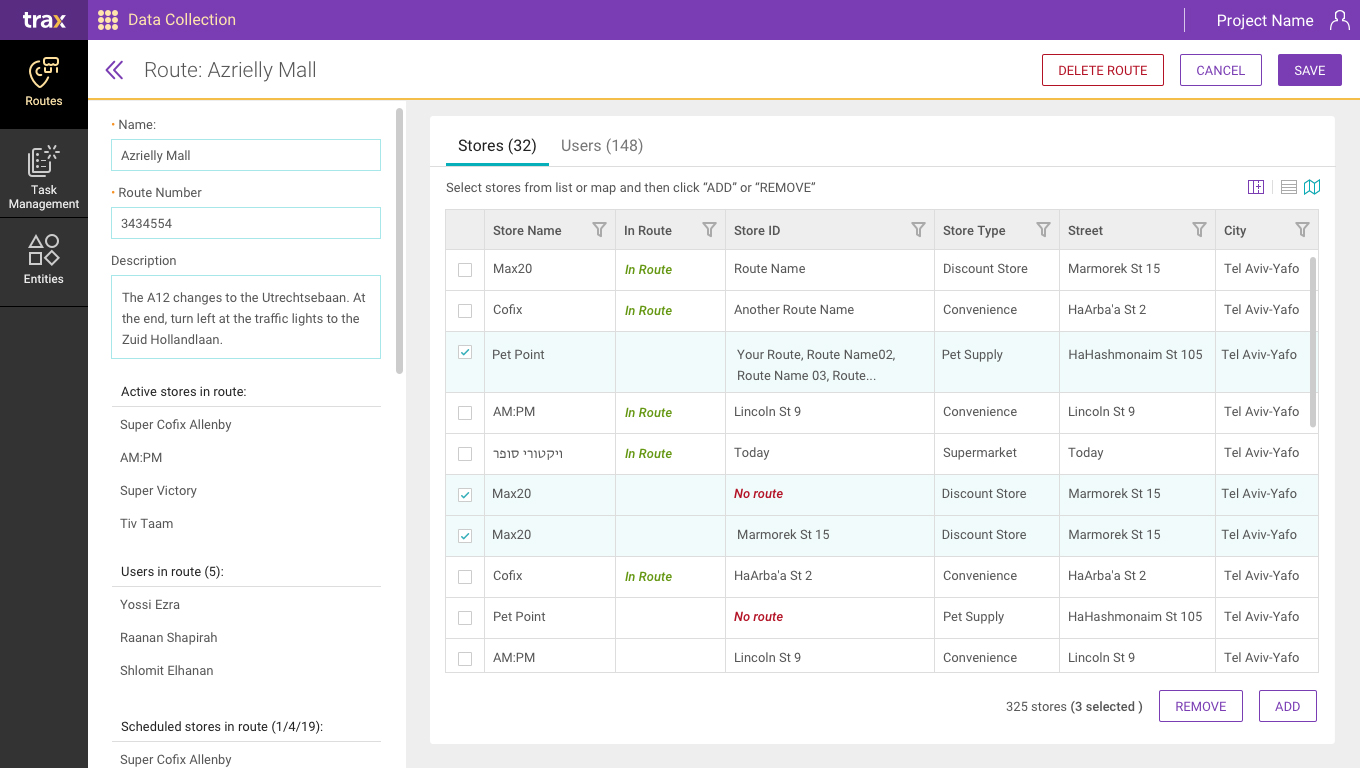
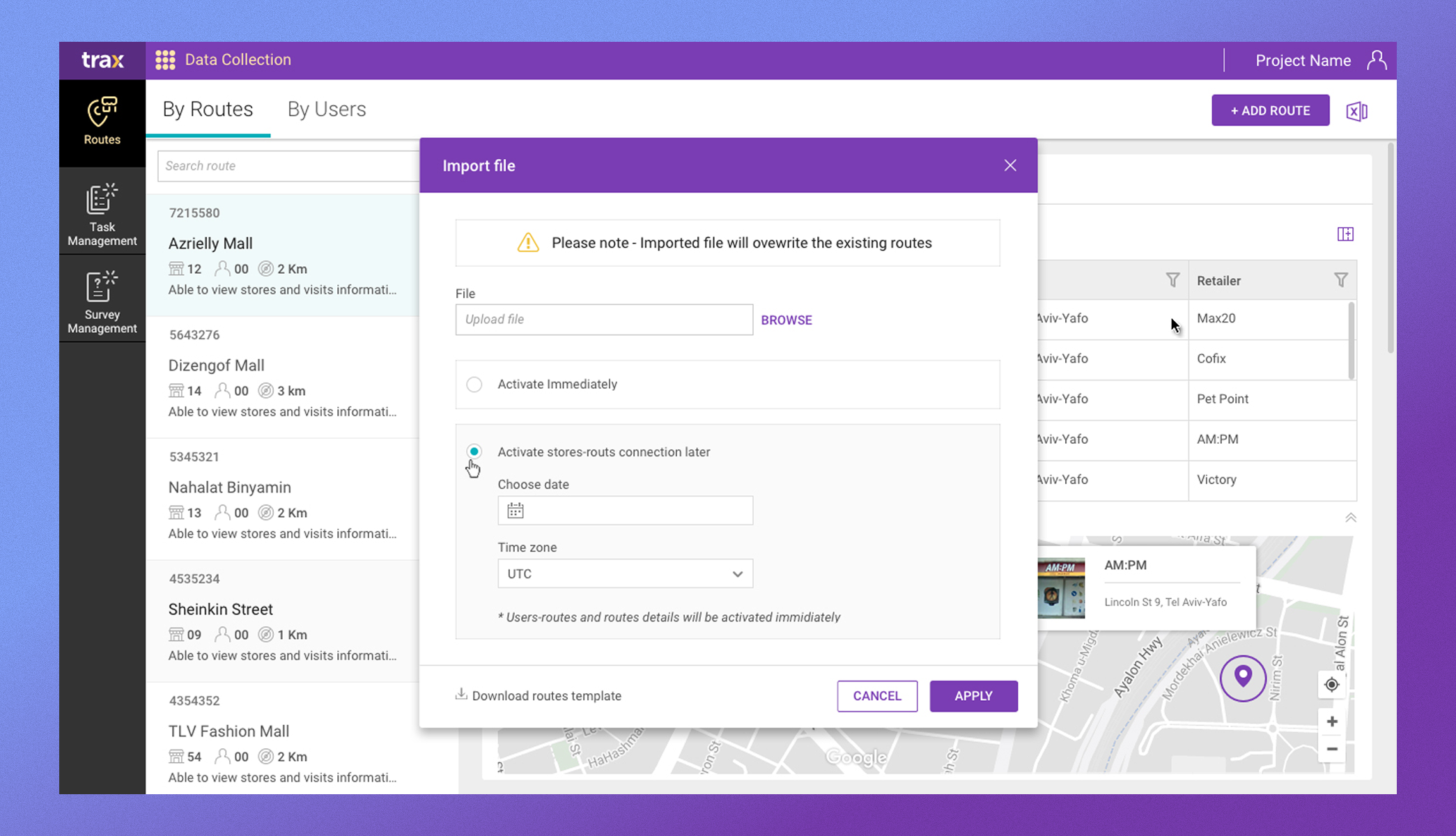
Given the fact that the general layout – Frame Layout, Main Nav Bar, Actions – was already set for the platform UI, I designed the store/route list-view (master pane) and detail pane to support all necessary actions: activation scheduling, visit planning, route assignments, and task configurations for the mobile collection app. The UI provides controls to create, update, or disable stores or routes, schedule visits, and manage tasks – all without leaving the main context.
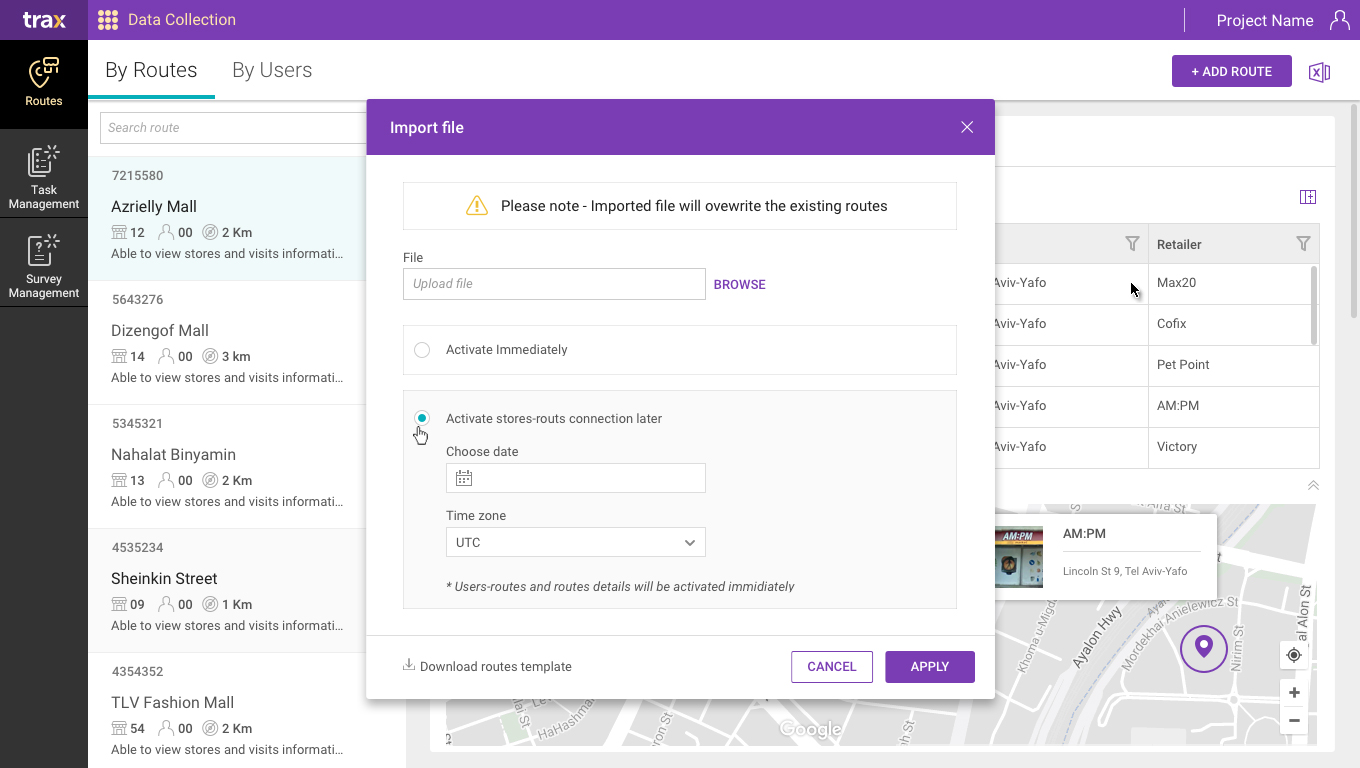
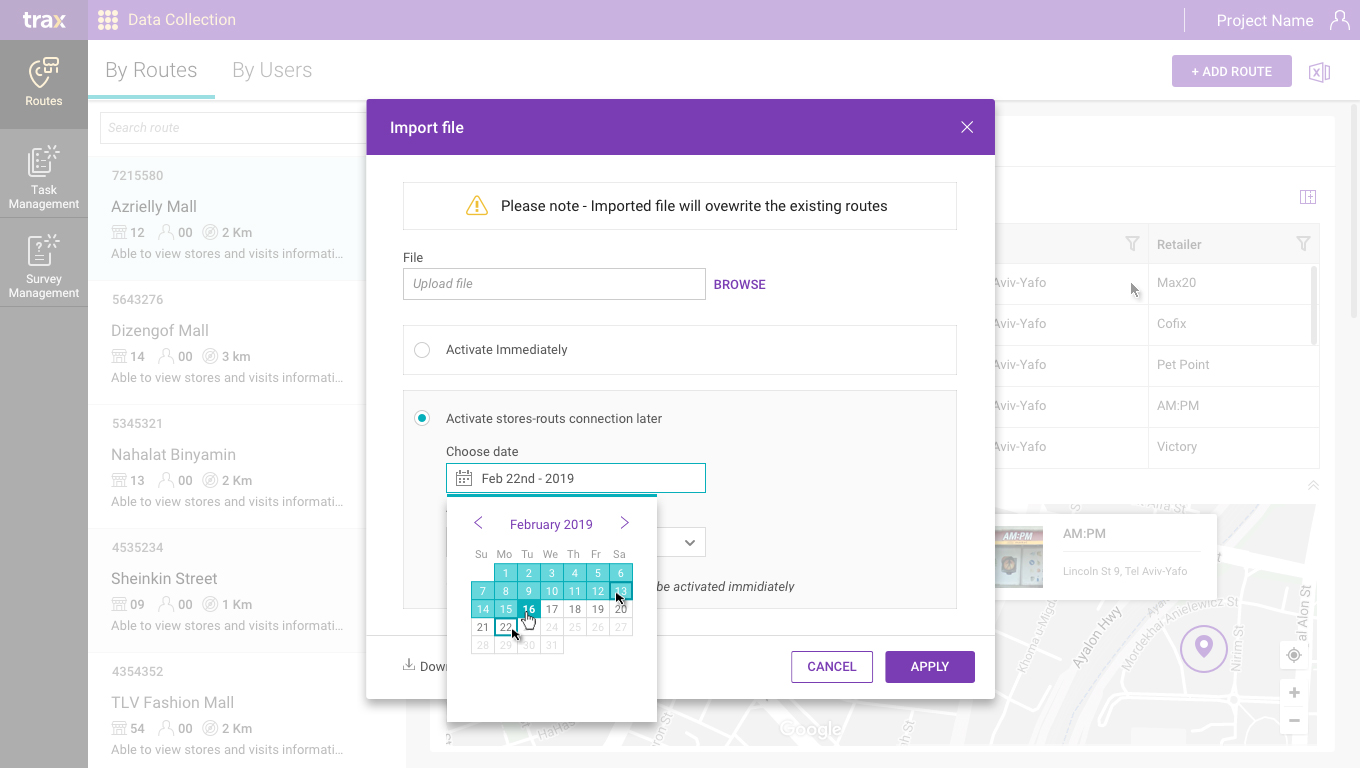
For scheduling, I introduced UX elements that allow planners to configure activation windows to schedule activation by demand, in a clean, straightforward interface. Task management flows were reimagined so that once a store and route are selected, the relevant tasks (visits, data collection, checks) become visible and editable.
The layout uses navigation and contextual panels to keep complexity under control, allowing operations team members to work efficiently even when handling hundreds or thousands of stores.
Impact
- Reduced task failure by 18% by improving how AI-driven insights are translated into user actions.
- Increased reliability of field operations in dynamic, real-world conditions.
- Improved execution consistency across global field teams.